Help center
How to make purchase orders and receive goods
Order stock from a supplier, send the order on WhatsApp, and receive the goods when they arrive, in full or in part. Received goods go into stock at the right cost, the supplier’s balance updates, and a goods received note can be printed.
Updated
Nafaa records buying from suppliers in two ways. A purchase is for goods that have already arrived: stock goes up at once. An order is for goods you are asking for: nothing enters stock until you receive it.
Open Purchases in the sidebar under Purchasing. Press Nayi purchase for goods in hand, or Order for a purchase order. Suppliers are kept under Suppliers.
Order and receive
Step 1: Start an order
On Purchases, press Order. The page shows Naya order with Order dena hai (place an order) selected.
Step 2: Add items
Search or scan items. For each line choose the unit you buy in (pcs, carton, box, or your own such as bori = 50 kg), the quantity and the price per unit.
Step 3: Choose the supplier
Pick the supplier, add their bill number if you have one, and set Maal kab tak aayega (expected date) so the order reminds you.
Step 4: Save and send
Press Order save karein or Ctrl + S. On the order page, press Order bhejein to send it to the supplier on WhatsApp.
Step 5: Receive the goods
When the delivery comes, open the order and press Maal aaya (goods arrived). Choose Poora aaya if everything came, or enter what arrived; the rest stays open.
Step 6: Put it in stock
Press Stock me daalein. Stock goes up, the average cost updates and the supplier’s balance (Supplier ka khata) shows what you owe.
Step 7: Print the GRN
Press Print / invoice and choose Maal receiving to print a goods received note with signature lines.
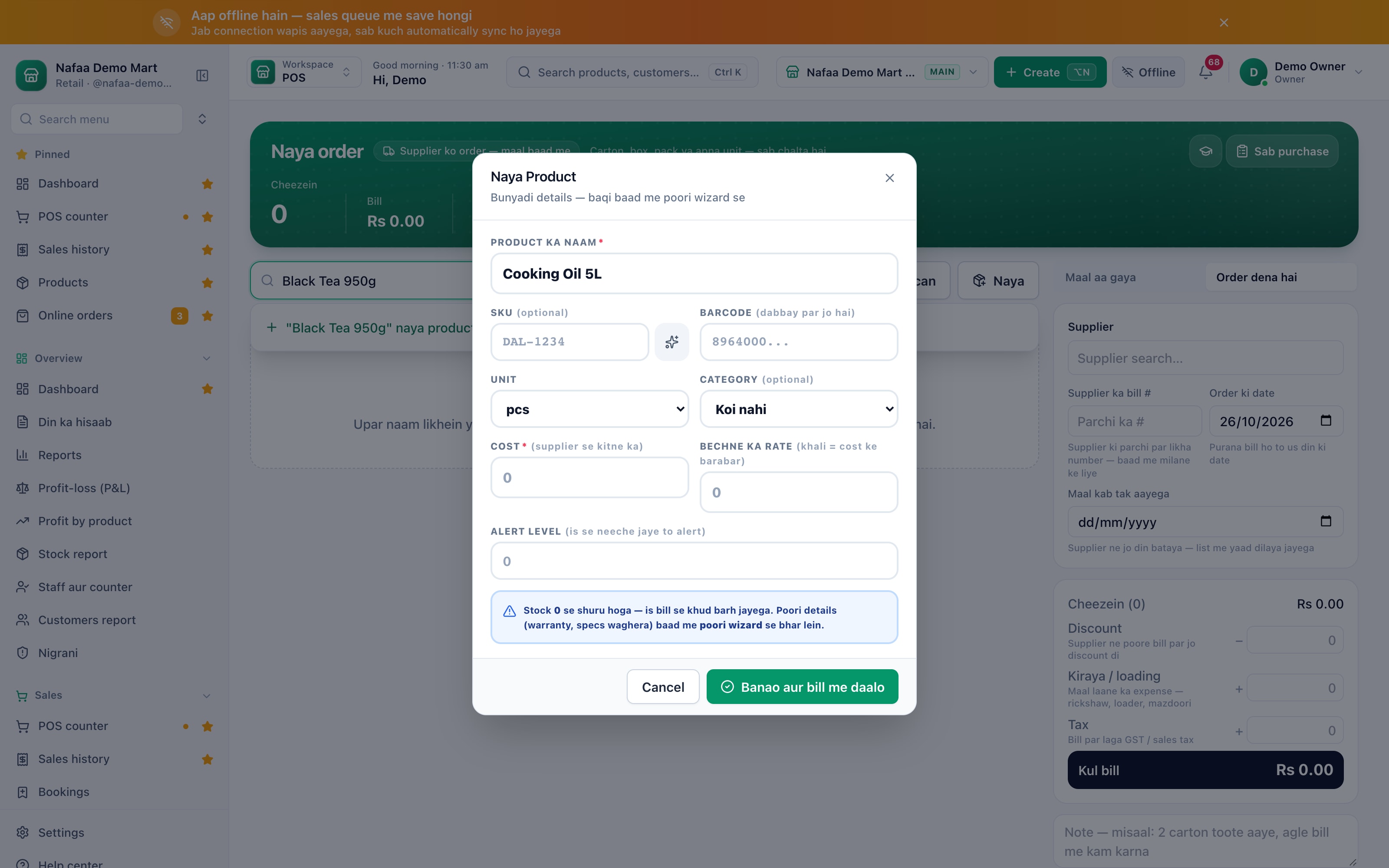
- Order, not purchase
- Search or scan
- Unit and quantity
- Price per unit
- Supplier
- Expected date
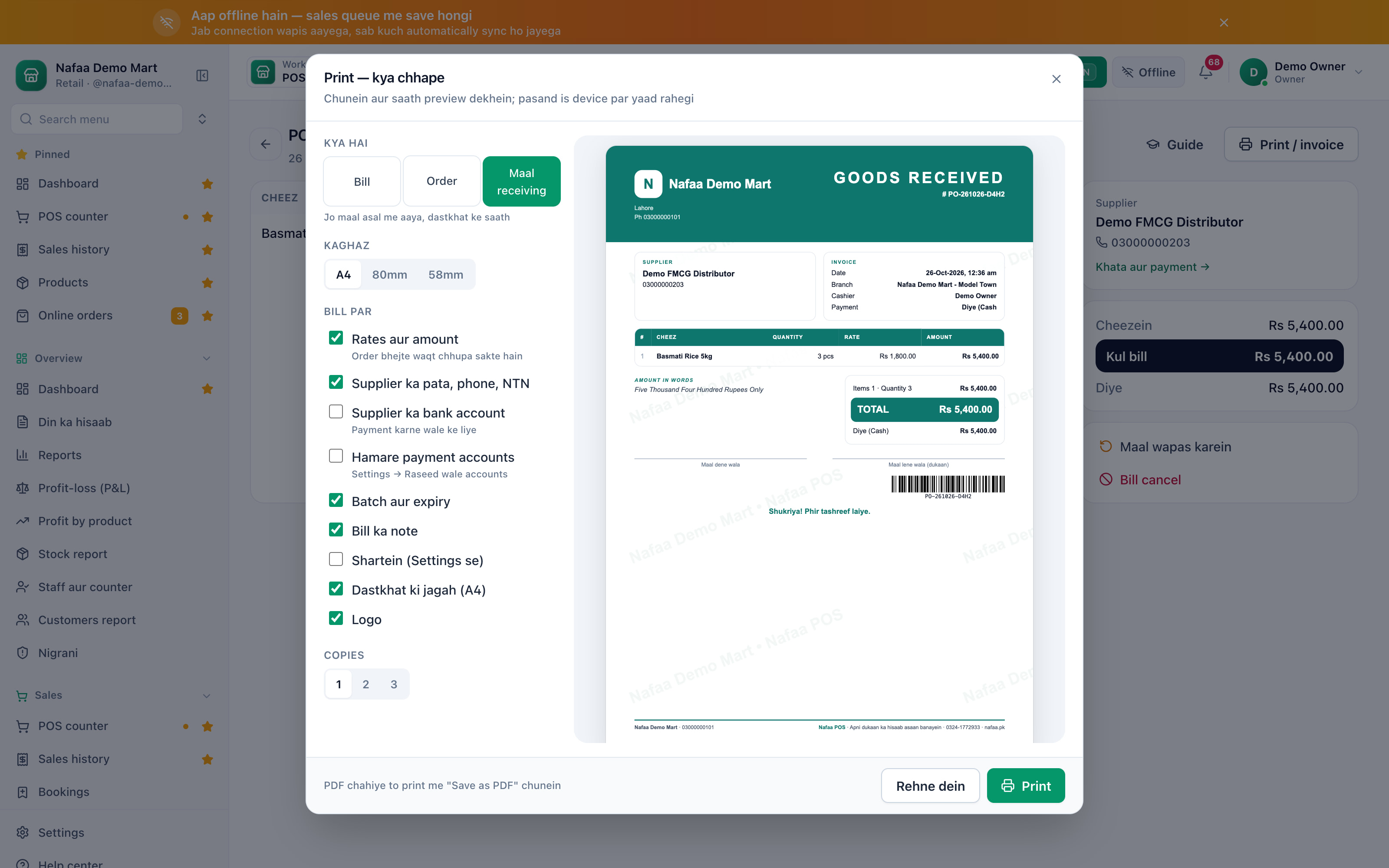
- Goods received note
- Preview
- Signature lines
Questions
Can I make orders from the low stock list?
Yes. On Low stock, tick lines and press Order banayein. Nafaa makes one order per supplier.
How do I record a payment to the supplier?
Open the supplier from the purchase (Khata aur payment) and record the payment there. The supplier ledger shows every bill and payment.
Related
- Product
Purchasing
Nafaa Purchasing records what you buy and what you owe: suppliers with their khata and rate history, purchase bills in any unit that add stock at the real landed cost, purchase orders that wait until goods arrive, returns to suppliers, full or partial payments, and reorders started straight from the low-stock list. - Template
Purchase Order Template (Excel)
A one-page purchase order for your suppliers: PO number, date, delivery date and payment terms, supplier details and up to 20 lines with quantity, rate and amount. Subtotal, discount, sales tax, freight and total calculate themselves; print it or send it as PDF. - Page
How to set low stock alerts and reorder
Set a low stock level on each product and see what is out, low, running out soon or near expiry in every branch. Nafaa works out how many days the stock will last and turns the list into purchase orders or a WhatsApp message to the supplier. - Page
How to sell in units and packs
Sell the same item loose and by the pack: dozen, box, carton or bori. Each pack gets its own rate and barcode, stock is always counted in the base unit, and scanning a carton barcode at the counter puts the carton on the bill. - Page
How to adjust stock and record damage
Correct stock by hand when it does not match the shelf: add stock, remove it, or record damaged and lost goods with a reason. Use a stock count to enter what you actually counted and let Nafaa post the difference. - Glossary term
Backorder
A backorder is a customer order accepted for an item that is out of stock now and will be delivered when new stock arrives.
Terms used here
Purchase Order (PO)
A purchase order is a document a buyer sends a supplier listing the items, quantities and agreed prices it wants to buy.GRN (Goods Received Note)
A goods received note records what actually arrived from a supplier, checked against the purchase order, before the stock is added and the bill is paid.Landed Cost
Landed cost is the full cost of getting goods into your shop: the purchase price plus freight, loading, duties, taxes that cannot be claimed back, and other charges, less any discount.Purchase Return
A purchase return is goods sent back to the supplier because they were damaged, wrong, short-dated or unsold under an agreed return arrangement.Accounts Payable
Accounts payable is the money a business owes its suppliers for goods or services it has received but not yet paid for.
Know what you bought and what you still owe
Purchases change stock and cost automatically, and each supplier has a ledger. 7-day free trial.