Help center
How to set up loyalty points
Turn on loyalty points so named customers earn points on every bill, set how many points a rupee earns and what a point is worth, let customers spend points at the counter, and add or remove points by hand with a reason.
Updated
Loyalty points reward regular customers. When a bill has a customer on it, that customer earns points. On a later bill the points can be spent as a Discount. The rules are the same in every branch.
Loyalty is off until you turn it on. The settings are in Settings → Stock & customers → Credit & loyalty, and the members list is on Customers → Loyalty.
Turn on loyalty and use it
Step 1: Turn it on
Open Settings → Stock & customers → Credit & loyalty and switch on Loyalty points. You can also click Chalu karein on the Loyalty page.
Step 2: Set how points are earned
In Har rupay par points set the rate. The hint gives the example: 0.01 means 1 point for every 100 rupees spent.
Step 3: Set what a point is worth
In 1 point ki qeemat set how many rupees of Discount one point gives on a bill.
Step 4: Set the limits
Use Kam se kam points for the fewest points that can be used on one bill, and Bill ka zyada se zyada hissa for the largest share of a bill that points can pay.
Step 5: Choose an expiry
In Points kab khatam hon enter the number of days after which earned points expire, or 0 to keep them forever.
Step 6: Earn at the counter
Add the customer to the bill (F2 opens the customer picker). Points are added when the bill is completed.
Step 7: Spend at the counter
Press F4 to open Discount. The customer's points appear with a slider; move it or click Sab to use the most allowed on this bill.
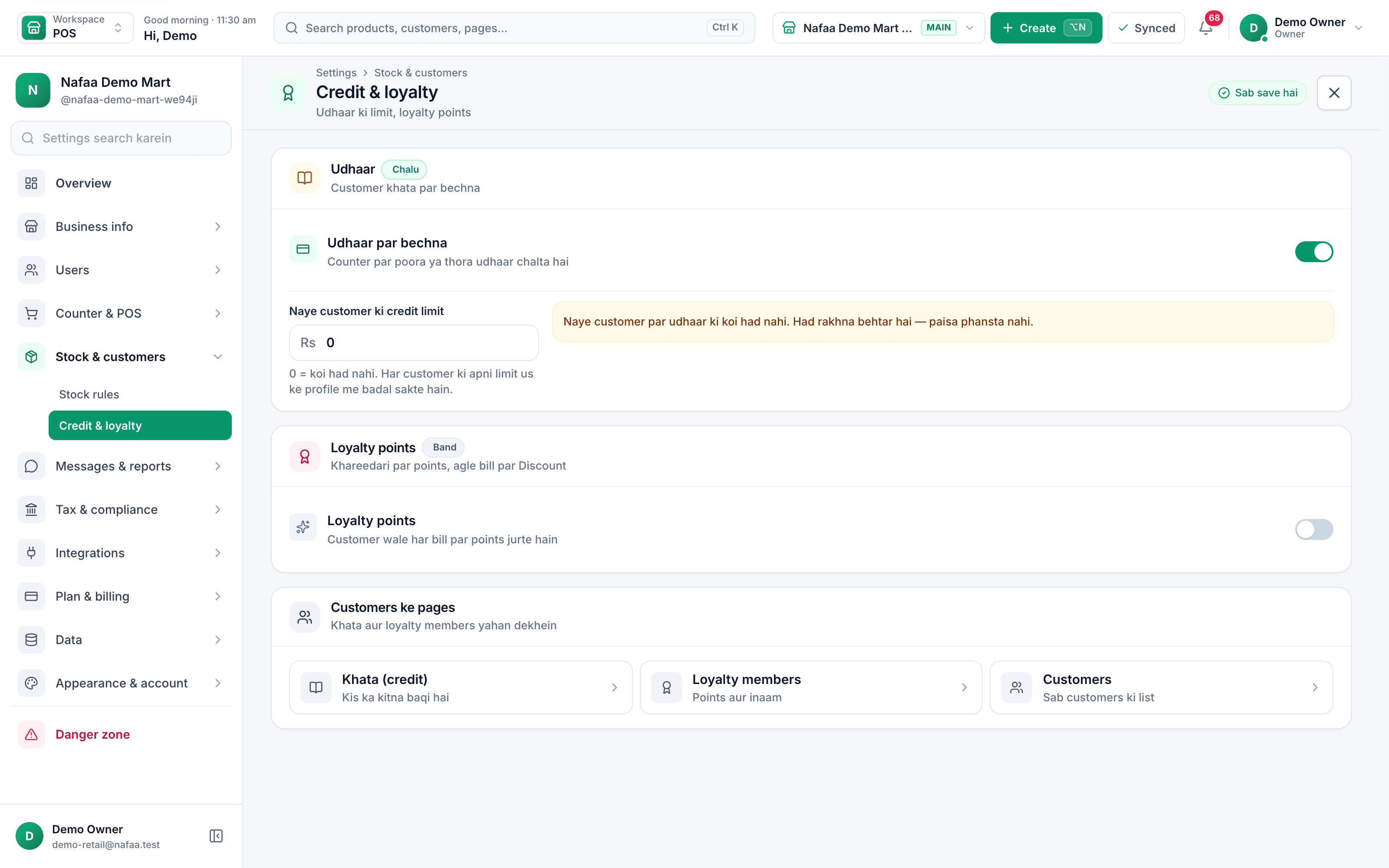
- Turn loyalty on
- Default credit limit
- Loyalty members list
Questions
Do walk-in customers earn points?
No. Points go to a named customer on the bill, so add the customer before completing the sale.
Can I see how much the points are worth in total?
Yes. The Loyalty page shows Points ki kul qeemat, the total Discount that outstanding points could still give, and how many were used in the period.
Related
- Product
Loyalty
Nafaa Loyalty turns first-time buyers into regular customers: points on every purchase that come off a later bill, member levels that show who your best buyers are, discount codes with limits you set, combos and deals, and birthday and thank-you messages on WhatsApp, all recorded on the customer's profile and applied at the counter. - Page
Give a discount at the counter
Give a bill discount as a percentage or in rupees, round the bill off, apply a discount code or loyalty points, and set the limit a cashier can give without the owner’s PIN. - Page
How to add a customer
Add a customer in Nafaa from the Customers page or straight from the POS counter. Only the name is required; a phone number lets you send bills and udhaar reminders on WhatsApp. This article covers the quick add, the full form and the counter shortcut. - Page
How to make a bill at the POS counter
Open the POS counter, add items by barcode, name or tile, set quantities, pick the customer and take payment. Covers the one-key cash bill (F12), the checkout window for other payment methods, and what to do on the success screen. - Page
How to send udhaar reminders on WhatsApp
Remind customers about their udhaar on WhatsApp from the Khata page. Nafaa writes the message with the name, amount and days due, picks a polite, firm or final tone by age, and opens WhatsApp so you only press Send. - Page
How to connect your online store to Nafaa
Connect a WooCommerce, Shopify or Daraz store, or your own website, as a sales channel. Its orders arrive in Online orders, accepting one makes the bill and cuts stock, and stock goes back to the store from the branch you pick.
Give points to customers who come back
Set how points are earned and used at the counter, and see members and balances. Try it free for 7 days.