Help center
How to set a credit limit
Set how much udhaar a customer can take. Nafaa has a default limit for new customers and a limit on each customer, checks it at the counter before a credit bill is saved, and lists everyone who has gone over it.
Updated
A credit limit stops a customer’s udhaar from growing past an amount you choose. Nafaa checks it at the counter: if a bill would take the customer over the limit, the cashier needs the owner’s or a manager’s PIN to continue.
There are two settings. The shop default applies to customers when they are created. Each customer’s own limit can then be raised, lowered or removed.
Set the default and per-customer limits
Step 1: Open the credit settings
Go to Settings → Stock & customers → Credit & loyalty. Under Udhaar, make sure Udhaar par bechna is on.
Step 2: Set the default for new customers
Type an amount in Naye customer ki credit limit. 0 means no limit. The change saves by itself.
Step 3: Open a customer
To change one customer, open Customers → Customers, find them and click the pencil icon (Badlein).
Step 4: Set their limit
Under Udhaar, type the amount in Udhaar ki limit (Rs), tap one of the quick amounts, or click Koi had nahi (no limit). On a new customer, leaving it empty uses the shop default.
Step 5: Save
Click Save karein or press Ctrl + S.
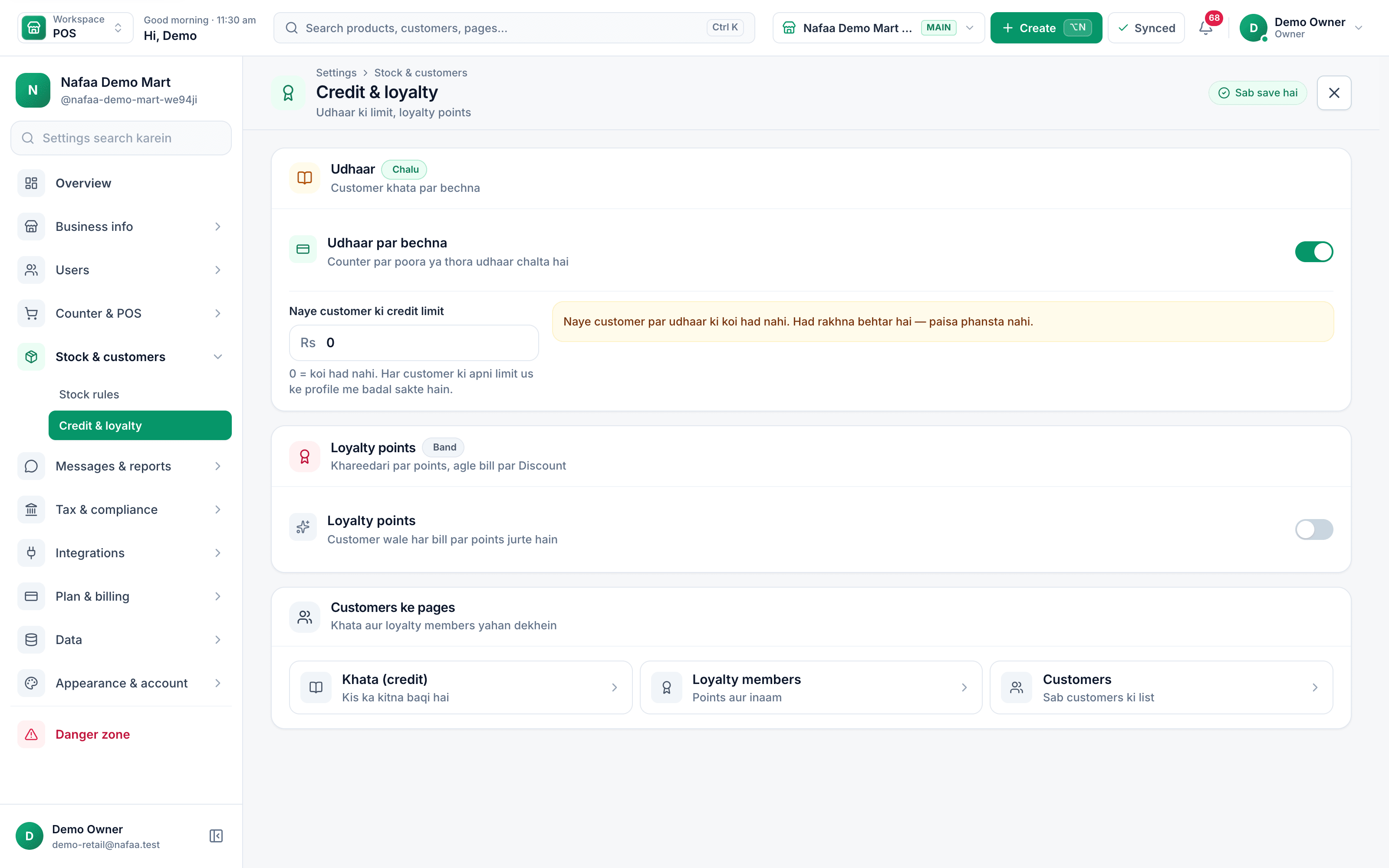
- Udhaar par bechna
- Default limit (0 = none)
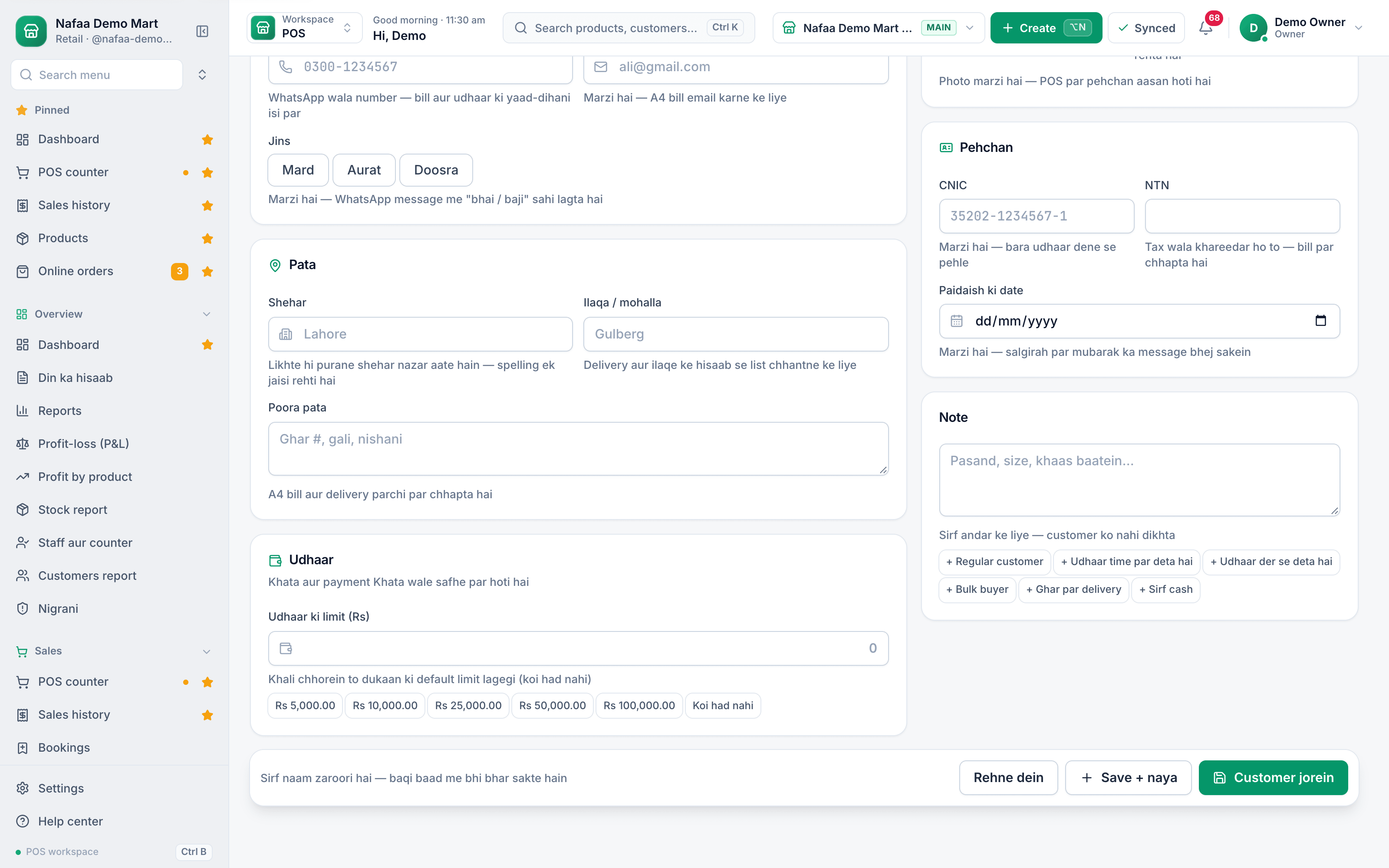
- Udhaar ki limit (Rs)
- Quick amounts
- Koi had nahi
Questions
Does changing the default limit change existing customers?
No. The default is applied when a customer is created. Change existing customers one by one on their form.
Can a cashier go over the limit?
Only with the owner’s or a manager’s PIN. Without a PIN set up, the bill cannot go over the limit.
What does a limit of 0 mean?
No limit. The customer can take any amount of udhaar.
Related
- Product
Khata
Nafaa Digital Khata replaces the paper udhaar register: every credit sale lands in the customer's khata from the counter, payments and old balances are recorded, balances are grouped by age, credit limits stop runaway udhaar, and a WhatsApp reminder goes out in one tap. - Page
How to sell on udhaar (credit)
Make a credit sale at the Nafaa POS counter: pick the customer, then put the whole bill or the unpaid part in their khata. The customer’s old balance shows on the bill, and the credit limit is checked before the bill is saved. - Page
How to add a customer
Add a customer in Nafaa from the Customers page or straight from the POS counter. Only the name is required; a phone number lets you send bills and udhaar reminders on WhatsApp. This article covers the quick add, the full form and the counter shortcut. - Page
How to send udhaar reminders on WhatsApp
Remind customers about their udhaar on WhatsApp from the Khata page. Nafaa writes the message with the name, amount and days due, picks a polite, firm or final tone by age, and opens WhatsApp so you only press Send. - Guide
Managing Udhaar and Khata: A Complete Guide for Shops
How to give udhaar without losing money: who should get credit, how much, how to record it so nobody can argue, how to tell which balances are going bad, how to remind customers without losing them, how to recover old balances, and how to handle the credit you take from your own suppliers.
Terms used here
Udhaar
Udhaar is credit given to a customer: goods are taken now and paid for later.Khata
A khata is a ledger, traditionally a paper register, that records what each customer owes a shop on credit and what they have paid back.Accounts Receivable
Accounts receivable is the money customers owe a business for goods or services already supplied on credit.
Collect udhaar without chasing it by memory
See who owes what by age of the balance and send a reminder in one tap. Try it free for 7 days.