Help center
POS keyboard shortcuts
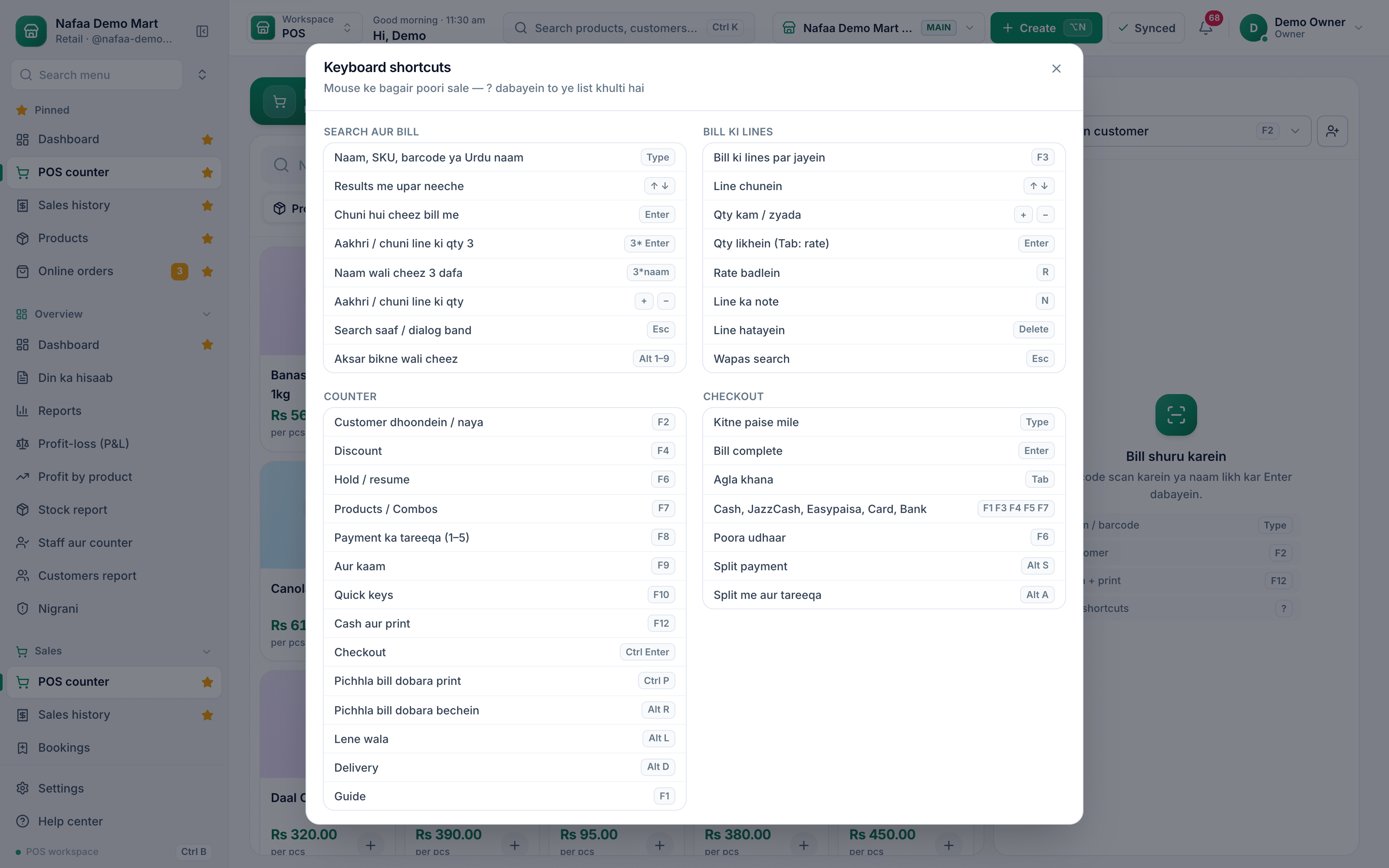
Every key on the Nafaa POS counter: search and quantity, the bill lines, customer, discount, hold, payment and checkout. Press ? on the counter to see the same list on screen.
Updated
The counter is built to run from the keyboard, so a cashier with a barcode gun never has to reach for the mouse. The search box keeps focus; any letter or digit you type, or any barcode you scan, goes there.
Press ? on the counter (with the search box empty) to open Keyboard shortcuts, or press F1 for the guide. The tables below match that screen.
Learn the keys in five minutes
Step 1: Open the list
On the POS counter press ?. Keep it open on the first day; it closes with Esc.
Step 2: Add items by keyboard
Type a name and press Enter, or scan. ↑ ↓ walk the results.
3*then Enter sets the last line to 3.Step 3: Edit the bill
Press F3 to move into the bill lines. ↑ ↓ pick a line, + − change quantity, Enter types a quantity, R changes the rate, Delete removes the line, Esc goes back to search.
Step 4: Take payment
Press F12 for cash and print, F8 then a number for a payment method, or Ctrl + Enter for the full checkout.
Search and bill
| Key | What it does |
|---|---|
| Type or scan | Search by name, SKU, barcode or Urdu name |
| ↑ ↓ | Move through the results |
| Enter | Add the selected item |
3* Enter | Set the last or selected line to 3 |
3*name | Add that item 3 times |
| + − | Change the last or selected line by one |
| Esc | Clear the search or close a dialog |
| Alt + 1 to 9 | Add one of the items sold most on this counter |
Counter
| Key | What it does |
|---|---|
| F1 | Guide |
| F2 | Find or add a customer |
| F3 | Move into the bill lines and back |
| F4 | Discount |
| F6 | Hold the bill, or resume a held bill |
| F7 | Switch between Products and Combos |
| F8 | Choose the payment method (1 Cash, 2 Card, 3 JazzCash, 4 Easypaisa, 5 Udhaar, 6 Split) |
| F9 | More actions (Aur kaam) |
| F10 | Quick keys |
| F12 | Cash and print |
| Ctrl + Enter | Checkout with every option |
| Ctrl + P | Print the last bill again |
| Alt + R | Sell the last bill again |
| Alt + L | Who took the goods (Lene wala) |
| Alt + D | Delivery |
In the bill lines (after F3)
| Key | What it does |
|---|---|
| ↑ ↓ | Select a line |
| + − | Quantity up or down |
| Enter | Type the quantity (Tab moves to the rate) |
| R | Change the rate |
| N | Note on the line (when line notes are on) |
| Delete | Remove the line |
| Esc | Back to search |
In checkout
| Key | What it does |
|---|---|
| Type | Amount the customer handed over |
| F1 F3 F4 F5 F7 | Cash, JazzCash, Easypaisa, Card, Bank |
| F6 | Full udhaar (needs a customer) |
| Alt + S | Split payment |
| Alt + A | Add another method to the split |
| Enter | Complete the bill |
Questions
Why does a key do nothing?
Some keys depend on counter settings: F4 needs the Discount button switched on and hand discounts allowed in Counter rules, Alt + 1 to 9 needs "Aksar bikne wali cheezein" on, and N needs line notes on.
Do the shortcuts work on a laptop without F keys?
Most laptops reach F keys with the Fn key. Every action is also a button on the screen, and F9 lists the rest.
Related
- Product
POS
Nafaa POS is the billing counter for any business: scan a barcode or tap a quick key, sell by piece, dozen or carton, take cash, card, JazzCash, Easypaisa or khata in one bill, print or WhatsApp the receipt, and keep billing when the internet drops. It runs on the phone, tablet or computer you already have. - Page
How to make a bill at the POS counter
Open the POS counter, add items by barcode, name or tile, set quantities, pick the customer and take payment. Covers the one-key cash bill (F12), the checkout window for other payment methods, and what to do on the success screen. - Page
Choose a POS counter layout
Pick one of four counter layouts (Classic, Express, Bill bara and Touch) for the whole shop or for one cashier, choose how dense the bill lines are, and switch parts of the counter on or off. - Page
Hold a bill and recall it later
Put a half-made bill on hold with F6 when a customer steps away, serve the next person, then bring the held bill back with its items and customer. Several bills can wait at once. - Changelog entry
Keyboard shortcuts across the whole Nafaa app
Lists, menus, dialogs and forms now work from the keyboard across the app: Ctrl+S saves, G-key shortcuts jump between pages, / searches and ? shows every key. - Changelog entry
Keyboard-first POS counter and four layouts
The POS counter now works fully from the keyboard, has a compact cart, and offers four layouts with feature toggles that each shop can set as defaults.
Terms used here
POS (Point of Sale)
The point of sale is where a sale is completed: items are scanned or picked, payment is taken and a receipt is given.Hold Bill
Holding a bill means parking an unfinished sale at the counter so the cashier can serve the next customer and resume the first bill later.Split Payment
A split payment is one bill paid with more than one method, such as part cash and part card, wallet or khata.Discount
A discount is a reduction from the normal selling price, given as a fixed amount or a percentage on an item or a whole bill.
Billing software for a Pakistani counter
Discounts, returns with a PIN, hold and recall, and printed receipts in one screen. Start a 7-day free trial.