Updated
ServicePOS hardware
The right printer and scanner, set up the first time
You do not need special hardware to start Nafaa. When you are ready, we help you pick a scanner, receipt printer, label printer and cash drawer that work with your device, and set them up with you.
- Works with phone, tablet or PC
- Setup and testing
- Area served
- Pakistan
- Pricing
- Advice is free; setup quoted per site
- Timeline
- Same week in most cases
Capabilities
What works with Nafaa
Barcode scanners
USB or Bluetooth scanners that type like a keyboard; no drivers needed.
Receipt printers
58 mm and 80 mm thermal printers, from the browser or the Windows app.
Label printers
Shelf and product labels printed from the desktop app.
Cash drawers
Opened by the Windows app when a cash bill is printed.
Tablets and phones
Android tablets and phones for counters and waiters.
Computers
Any Windows PC or laptop running the browser or the desktop app.
A complete counter
Process
How we help
- 1
Tell us your counter
Device, space, how many bills a day and what you print.
- 2
Get a recommendation
Hardware that fits your counter and budget.
- 3
Set up and test
We connect and test it with you, remotely or on site where available.
- 4
Print the first bill
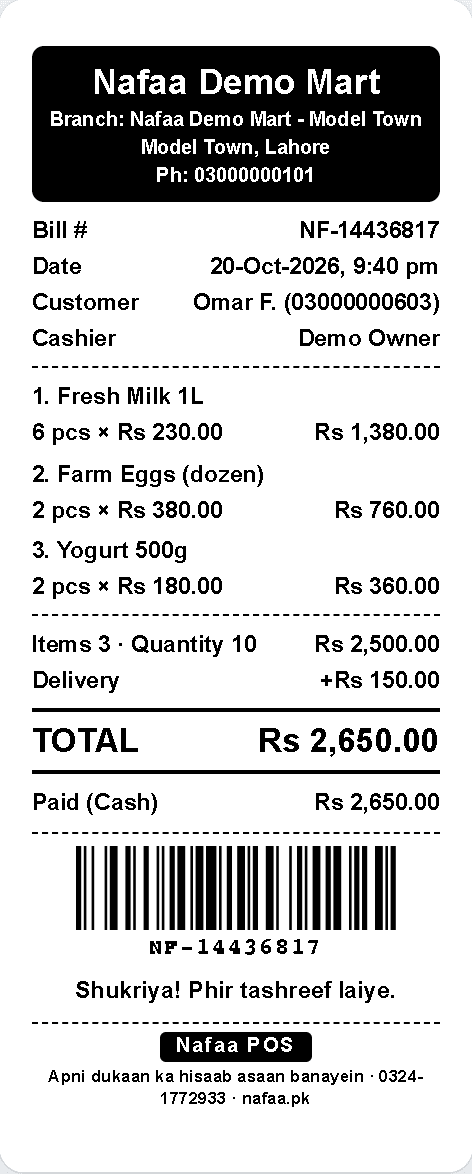
Receipt layout checked with your logo and details.
Quote lein
Tell us what you want to build. We reply with questions, a plan and a fixed price in PKR or USD, usually within one working day.
Prefer WhatsApp?
Chat on WhatsAppCommon questions
Which printers and scanners work with the Nafaa POS?
Any USB or Bluetooth barcode scanner that types like a keyboard works without setup. Receipts print on 58 mm and 80 mm thermal printers, and the Windows desktop app prints without a dialog and can open the cash drawer. You can also skip paper and send the receipt on WhatsApp.
Do I need a computer to use Nafaa?
No. Nafaa runs in a web browser, so the phone, tablet or computer you already have will do. A barcode scanner and a receipt printer can be added later but are not required to start. The counter also keeps working without internet and sends the sales to your account when the connection returns.
Other services
Custom Software Development
Nafaa's engineering team builds custom software for businesses in Pakistan and worldwide: ERP modules, internal tools, dashboards, customer and dealer portals, and integrations with Nafaa or any other system, delivered in visible stages for one fixed quote in PKR or USD.Website Design & Development
Nafaa designs and builds fast, modern websites for businesses in Pakistan and worldwide: company sites, landing pages and content sites with light and dark themes, search-friendly structure and an editor your team can use, for a fixed quote in PKR or USD.E-commerce Store Development
Nafaa builds online stores for businesses in Pakistan and worldwide: a store on Nafaa or Shopify or WooCommerce, products and stock connected to your Nafaa account, local payment and courier options, and a launch your team can run, for a fixed quote in PKR or USD.Mobile App Development
Nafaa builds Android and iOS apps for businesses in Pakistan and worldwide: customer apps, apps for field staff and riders, and companion apps for your systems, built with React Native and published to the stores, for a fixed quote in PKR or USD.Data Migration to Nafaa
Our team moves your business into Nafaa from Excel, a paper register or another POS: products with prices, cost, barcodes and stock, customers with their khata balances, and suppliers with what you owe them, all cleaned and checked with you before go-live.FBR & PRA Integration Setup
Our team sets up FBR, PRA, SRB or KPRA invoicing in Nafaa with you: checking your registration details and POS ID, connecting the sandbox, testing invoices and receipts, and switching to live, so fiscal invoices print from the first real bill.