Updated
SolutionFor retail chains
Grow from one shop to many without losing control
Every branch bills, stocks and closes its own day, and you see all of them at once. Move stock where it sells, compare branch profit, and know who gave which discount, from anywhere.
- Branch P&L
- Stock transfers
- Audit log
- 7 din Free Trial
- Keeps billing offline
- Help on WhatsApp
- English and Roman Urdu
- Phone, tablet or computer
Short answer
Nafaa for retail chains runs every branch from one account: each branch has its own counter, stock and cash, head office compares sales and profit across branches, stock moves by transfer, staff only reach their own branches, and every refund and discount is on the record.
Roman Urdu mein
Kai branches ek account se: har branch ka apna counter aur stock, aur head office me sab ki bikri aur munafa saath saath. Stock transfer, staff ki ijazat aur har discount ka record.
Key facts
- Branches
- Each with its own counter, stock, cash register and day book
- Head office
- Sales, profit, staff and customers compared side by side
- Control
- Roles per branch, manager PIN, activity and audit logs
- Reports
- Branch P&L, stock value and staff sales, per branch or combined
One account, every branch
Capabilities
Built for owners of many shops
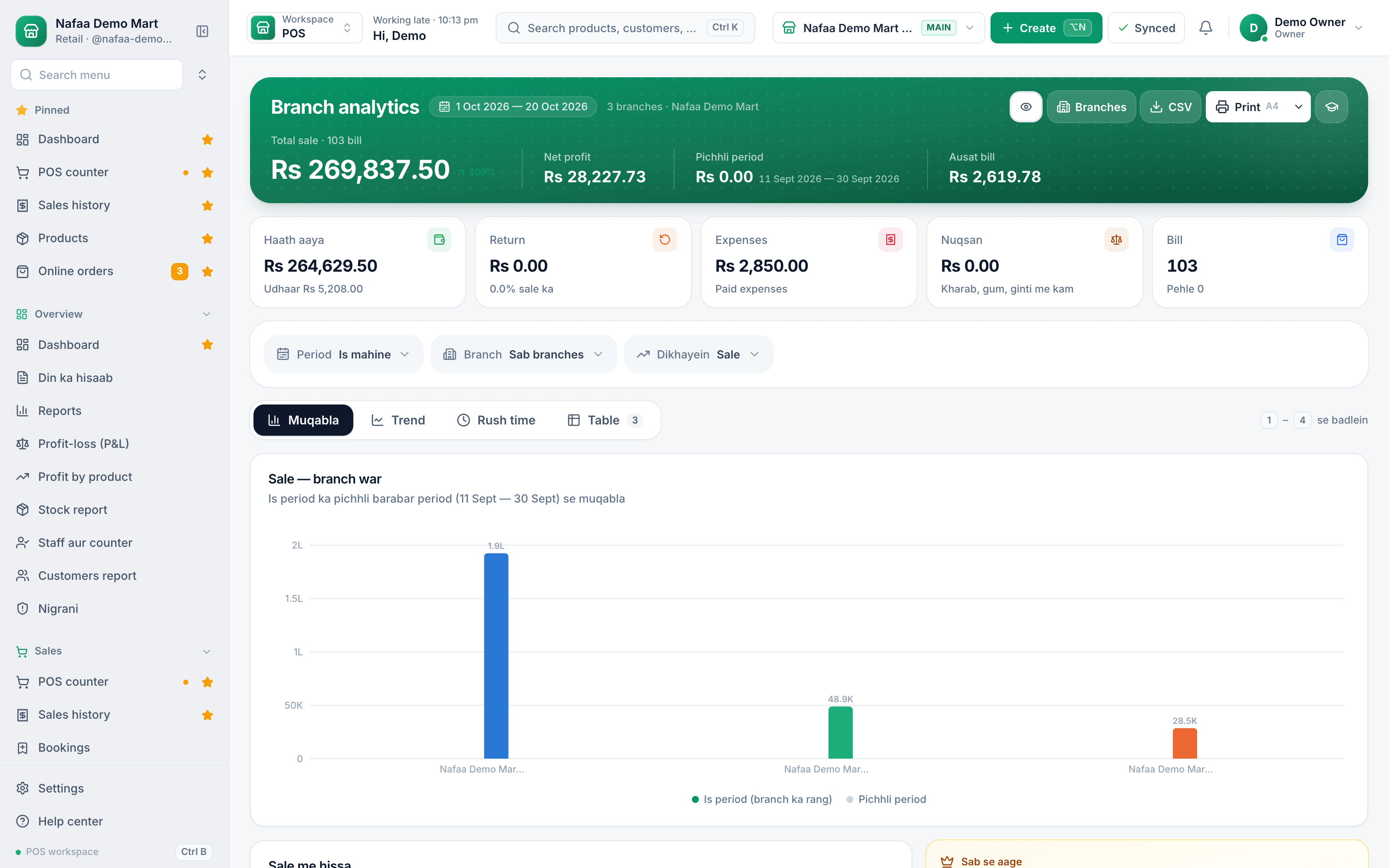
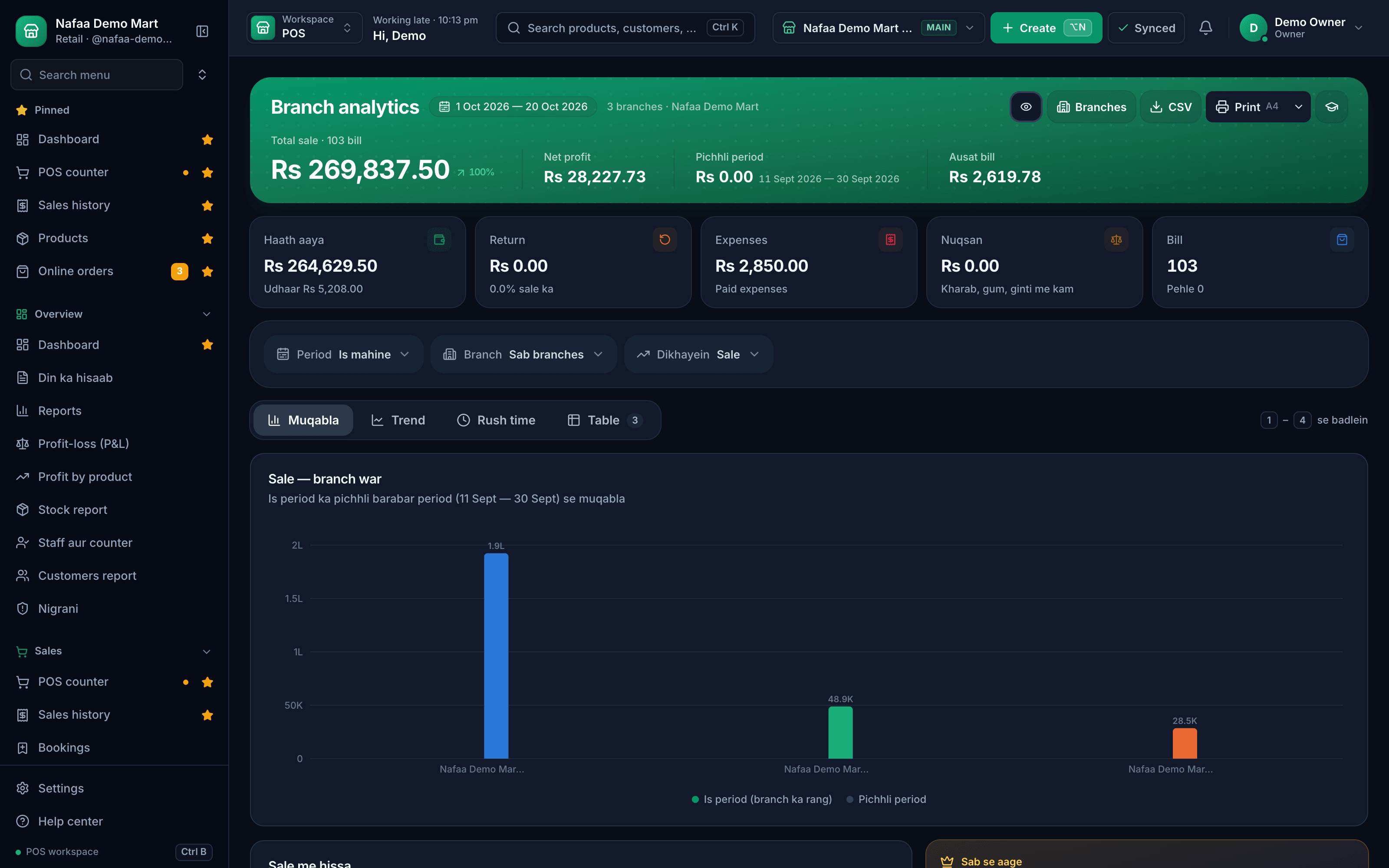
Branch analytics
Today and trend, branch by branch, on one screen.
Branch P&L
Profit and loss for each branch and for the chain.
Stock transfers
Send and receive stock with confirmation.
Staff by branch
People only open the branches they work in.
Audit and activity
Refunds, voids, discounts and price changes with names and times.
Exports and accounting
Excel exports and journals for QuickBooks, Xero, Zoho Books or Tally.
Inside the app
Compare every branch in one view
Sales, bills and trend for each branch, so the weak one stands out early.
Move stock where it sells
How it runs
How chains roll out Nafaa
- 1
Start with one branch
Import products and customers once; they are shared by every branch.
- 2
Add branches
Each gets its own receipt header, stock and cash register.
- 3
Set roles
Managers, cashiers and stock staff get only the access they need.
- 4
Run from head office
Watch every branch live and move stock where it sells.
Plans by number of shops
Free Trial
7 din Free Trial
7-day Free Trial
What is included
- 30 products
- 100 sales a month
- 2 users
- 1 shop
Basic
Chhoti dukan ke liye perfect
Rs 1,500/ monthRs 4,000/ quarterSave 11%Rs 15,000/ yearSave 16%Get startedStarts with a 7-day free trial
What is included
- 500 products
- 2,000 sales a month
- 3 users
- 1 shop
Pro
RecommendedBari shops aur multi-branch ke liye
Rs 3,500/ monthRs 9,500/ quarterSave 9%Rs 36,000/ yearSave 14%Get startedStarts with a 7-day free trial
What is included
- 5,000 products
- 10,000 sales a month
- 10 users
- 3 shops
Enterprise
Unlimited everything + 24/7 support
Rs 9,500/ monthRs 27,000/ quarterSave 5%Rs 99,000/ yearSave 13%Get startedStarts with a 7-day free trial
What is included
- Unlimited products
- Unlimited sales
- Unlimited users
- Unlimited shops
Common questions
Can I move stock from one branch to another?
Yes. Create a stock transfer from one branch, and the receiving branch confirms what arrived. Stock leaves one shop and lands in the other with a record of who sent and received it. Head office sees every branch's stock, sales and profit and loss side by side.
Can I stop staff from giving discounts or refunds?
Yes. Each staff member gets a role with its own permissions, and counter rules decide what needs a manager. By default a refund needs the manager PIN, and a discount above the limit you set needs it too. Every sensitive action is written to the activity log with the name of the person who did it.
Can I export reports to Excel or my accountant's software?
Yes. Reports export to Excel and print as PDF, so you can share them with a partner or keep them for your records. Businesses with an accountant can also send each day's sales, returns, expenses and payments as a journal to QuickBooks, Xero or Zoho Books, or export them for Tally.
Does Nafaa work without internet?
Yes, the counter keeps billing when the internet drops. Sales made offline are saved on the device and sent to your account automatically when the connection comes back, and you can see the sales still waiting to be sent. Reports and other branches see those sales once they have synced.
How much does Nafaa cost?
Paid plans start at Rs 1,500 a month. The pricing page lists every plan with its price and limits, taken straight from our plan settings, so it is always current. You can start with the free trial first, and no credit card is needed to sign up.
Products in this setup
Multi-Branch
Nafaa Multi-Branch runs every shop or branch from one account: each branch keeps its own counter, stock and cash, head office compares sales and profit side by side, stock moves between branches with transfers, and staff only see the branches they work in.Staff & Payroll
Nafaa Staff gives every team member a login and a role, sets counter rules like the refund PIN, tracks attendance, works out sales commission, runs payroll and logs every sensitive action with a name, so the owner can trust the counter without standing behind it.Reports
Nafaa Reports answer the owner's questions in plain numbers: today's sale and profit on the dashboard, profit by product, profit and loss with expenses, the day book, stock value, staff and customer reports, with Excel export and journals for QuickBooks, Xero, Zoho Books or Tally.Inventory
Nafaa Inventory keeps stock right in every unit and every branch: products with cost, price and margin, barcodes and labels, combos, low-stock alerts, damage and adjustments with reasons, stock transfers between branches, and a full movement history. Import your list from Excel in minutes.
Industries it fits
General Retail Shop
Nafaa works for any shop that does not fit a specific industry: a fast counter with quick keys and barcodes, combos, stock with low-stock and damage records, bulk import from Excel, a digital khata for udhaar, and reports on sales and profit, all in one app.Pharmacy & Medical Store
Nafaa is software for pharmacies and medical stores in Pakistan: search medicines by salt or formula and find substitutes, track batches and expiry, keep prescriptions and doctors, record controlled and narcotic sales in a register with patient and doctor details, and log fridge temperatures for the cold chain.Garments & Boutique
Nafaa runs garment shops and boutiques that sell ready-made and custom-stitched clothes: stock by size and colour, tailoring (silai) orders, alterations, saved customer measurements, items put on hold, qist plans, exchanges, collections and size charts, alongside the counter, khata and reports.Shoe & Footwear Store
Nafaa runs shoe stores: every pair by size and colour with its own barcode, brands and seasons, size-wise reorder, exchanges, a list of sizes customers asked for that were out of stock, and size charts, together with the counter, stock and khata.
Other solutions
Retail & Shops
Nafaa for a single shop puts the whole business on the device you already own: a fast counter that works offline, stock in every unit, a digital khata with WhatsApp reminders, and a daily profit report, from a 7-day free trial.E-commerce Sellers
Nafaa for e-commerce sellers runs your own online store and the Nafaa Bazaar marketplace from the same stock as your shop: orders from your website, Shopify, WooCommerce and Daraz in one list, courier booking with TCS, Leopards, PostEx and more, COD risk checks and payment links.Restaurants & Cafés
Nafaa for restaurants and cafés runs dine-in, takeaway and delivery from one system: a table layout with running bills, kitchen order tickets sent to each station, a menu with modifiers and recipes that take ingredients out of stock, riders for delivery and Foodpanda orders.Wholesale & Distribution
Nafaa for wholesalers and distributors handles trade the way it is done in Pakistan: carton and piece prices, separate wholesale prices, credit limits and khata for every trade customer, supplier accounts and purchasing, stock across godowns and branches, and A4 invoices.Manufacturing
Nafaa for manufacturers and food producers covers raw materials, recipes with costing and daily production plans, purchasing from suppliers, finished-goods stock across godowns and branches, and sales through the counter, trade khata and online. General bills of materials and work orders are coming soon.
Bring every branch into one view
Book a demo and we will set it up with your branch structure.
- 7 din Free Trial
- Keeps billing offline
- Help on WhatsApp