Choosing a Receipt Printer for Your Shop
How to pick a receipt printer for a shop or restaurant in Pakistan: 58mm or 80mm paper, USB, Bluetooth or serial, cash drawers, kitchen printers, label printers and A4 invoices, with a test to run before you pay.
- Published
- Reading time
- 4 min read
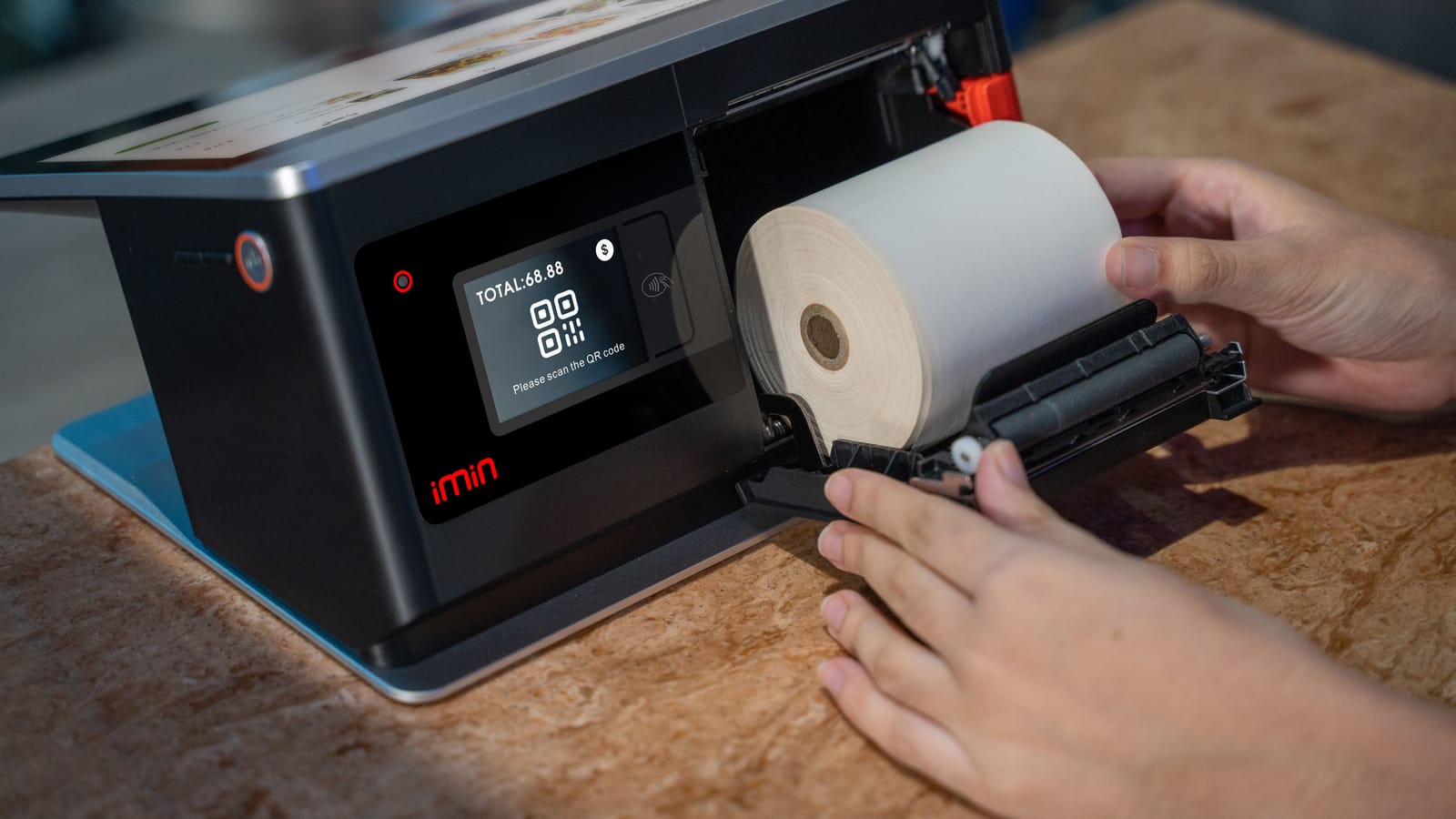
A receipt printer is a small purchase that you will use thousands of times a month. Pick the wrong one and you live with slow prints, faded receipts, a paper size you cannot find in your market, or a printer that will not talk to your phone. This guide covers the choices in the order you should make them.
Thermal, not ink
Almost every shop receipt printer today is a direct thermal printer. It prints by heating special paper, so there is no ink, ribbon or toner to buy. It is quiet and fast. The trade-off is that thermal print fades over time, especially in heat and sunlight. For a receipt the customer keeps for a few weeks, that is fine. For records you must keep for years, store the data in your system rather than relying on paper.
Some restaurants still use impact (dot-matrix) printers in hot kitchens because they print on plain paper and survive grease and heat. For most counters, thermal is the right choice.
58mm or 80mm paper
| 58mm | 80mm | |
|---|---|---|
| Printer size | Small, often portable | Desktop |
| Receipt | Narrow; long item names wrap | Wider; clearer for long bills |
| Typical use | Small shops, mobile billing, delivery riders | Supermarkets, restaurants, pharmacies |
| Paper | Widely available | Widely available |
| Auto-cutter | Rare | Common on desktop models |
If you bill long baskets or want your logo and footer to look good, choose 80mm. If you need to carry the printer or have very little counter space, 58mm works. Check that your local paper supplier stocks the roll width and core size your printer takes before you buy.
How it connects
- USB: the most reliable for a fixed counter with a computer. Plug in and it stays connected.
- Bluetooth: best for phones and tablets, and for portable 58mm printers. Pair it once with the device that bills.
- Serial (COM): older printers and some cash registers use it; a USB-to-serial cable often makes them usable.
- Network (LAN or Wi-Fi): useful in restaurants where several tablets print to one kitchen printer. Check that your software supports it before you buy.
Whatever you choose, make sure the printer works with the device you bill on. A printer that only has Windows drivers does not help if you bill on an Android phone.
Cash drawer
Many receipt printers have a small port (often RJ11, like a phone socket) that opens a cash drawer when a cash sale is completed. If you want the drawer to open automatically, buy a printer with this port and a drawer made for it. It also stops staff opening the drawer without a sale.
Kitchen and label printers
Kitchen printers print KOTs at each station. In hot, greasy kitchens, a printer with a splash-resistant body lasts longer. See our KOT guide.
Label printers print barcode stickers on a roll. They are separate from receipt printers; one printer rarely does both well. See the barcode setup guide.
A4 printers are still needed for wholesale invoices, quotations and delivery challans. Your normal office printer is enough.
Test before you pay
Step 1: Print a real bill
Ask the seller to print a bill with 20 lines, long item names and your shop name. Check that nothing is cut off.
Step 2: Check Urdu or special characters
If your receipt has Urdu text or the rupee sign, make sure it prints correctly.
Step 3: Print from your own device
Connect it to the phone or computer you will actually use, not the seller's laptop.
Step 4: Time ten bills
Print ten bills in a row. A slow printer holds the queue.
Step 5: Open the drawer
If you bought a drawer, test that it opens on a cash sale.
Step 6: Ask about service
Who fixes it, how quickly, and whether the print head is under warranty.
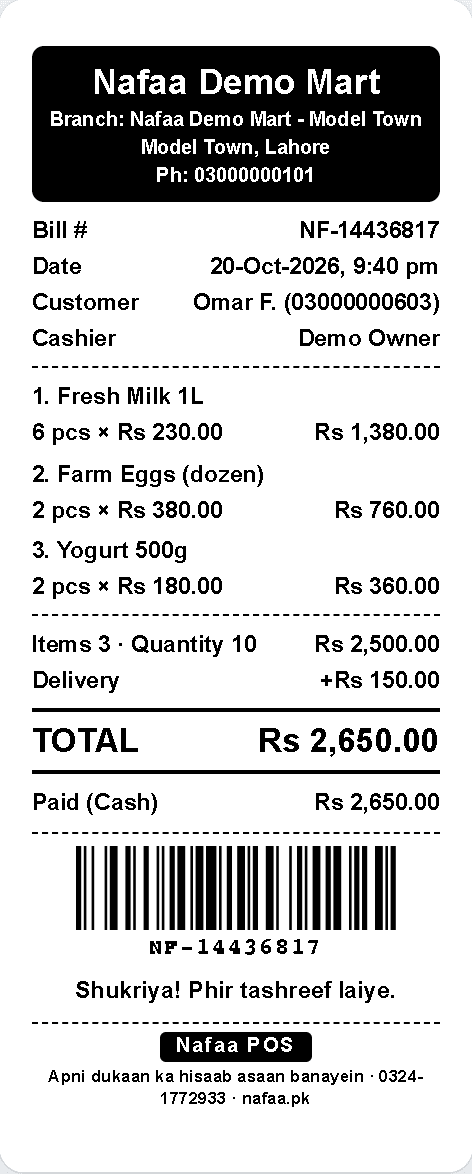
A receipt from the counter
Shop name, items, totals and payment on a thermal receipt. The same bill can go to the customer on WhatsApp instead of paper.
Paper and care
- Buy paper rolls from a steady supplier; cheap rolls with a thin coating fade fast and wear the print head.
- Keep spare rolls at the counter, especially before Eid and other busy days.
- Clean the print head every few weeks with a soft cloth, gently, when the printer is off and cool.
- Keep the printer out of direct sun and away from the tandoor.
Do you need a printer at all?
Not every sale needs paper. Many customers are happy with a bill on WhatsApp, and some small shops print only when asked. Still, a printed receipt is expected in most shops, and some situations need one: tax-integrated bills, warranty items and restaurant KOTs.
How Nafaa prints
Nafaa prints bills in 58mm, 80mm, A4 or PDF format. By default it uses the browser's print, which works with any printer your computer already has. For faster direct printing in Chrome or Edge, you can connect a receipt printer over USB, serial (COM) or Bluetooth (small 58mm Bluetooth printers), once, from the hardware settings; after that it reconnects by itself. The cash drawer can open on cash sales through the printer's drawer port, and each counter keeps its own printer settings.


