Updated
ProductWhatsApp
Receipts and reminders where customers actually look
Skip the paper roll and send the bill to WhatsApp. Remind udhaar customers with their exact balance in one tap, and message online buyers straight from their order.
- WhatsApp receipts
- Udhaar reminders
- 7 din Free Trial
- Keeps billing offline
- Help on WhatsApp
- English and Roman Urdu
- Phone, tablet or computer
Short answer
Nafaa talks to customers where they already are: receipts on WhatsApp instead of paper, udhaar reminders with the exact balance, thank-you messages after a purchase, and a WhatsApp chat with online buyers opened straight from their order, all in wording you can edit to sound like your shop.
Roman Urdu mein
Bill WhatsApp par bhejein, udhaar walon ko unka hisaab ek click me yaad dilayein, aur online order wale customer se order se hi WhatsApp par baat karein.
Key facts
- Receipts
- Send the bill to the customer's WhatsApp from the counter
- Reminders
- Udhaar balance messages from the khata, firmer as it ages
- Orders
- Open a WhatsApp chat with an online buyer from the order
- Plans
- WhatsApp receipts on plans that include them
Features
Messages that save time and paper
WhatsApp receipts
The full bill, sent to the customer's number.
Udhaar reminders
A polite message with the balance; the tone firms up as udhaar ages.
Online buyers
Open a WhatsApp chat with the buyer from any online order.
Your own wording
Edit the receipt, thank-you and reminder messages to sound like you.
Roman Urdu or English
Messages read naturally to your customers.
From your number
Reminders go from your own WhatsApp, so customers know who is writing.
Receipts and reminders on WhatsApp
How it works
A reminder in one tap
- 1
Open the khata
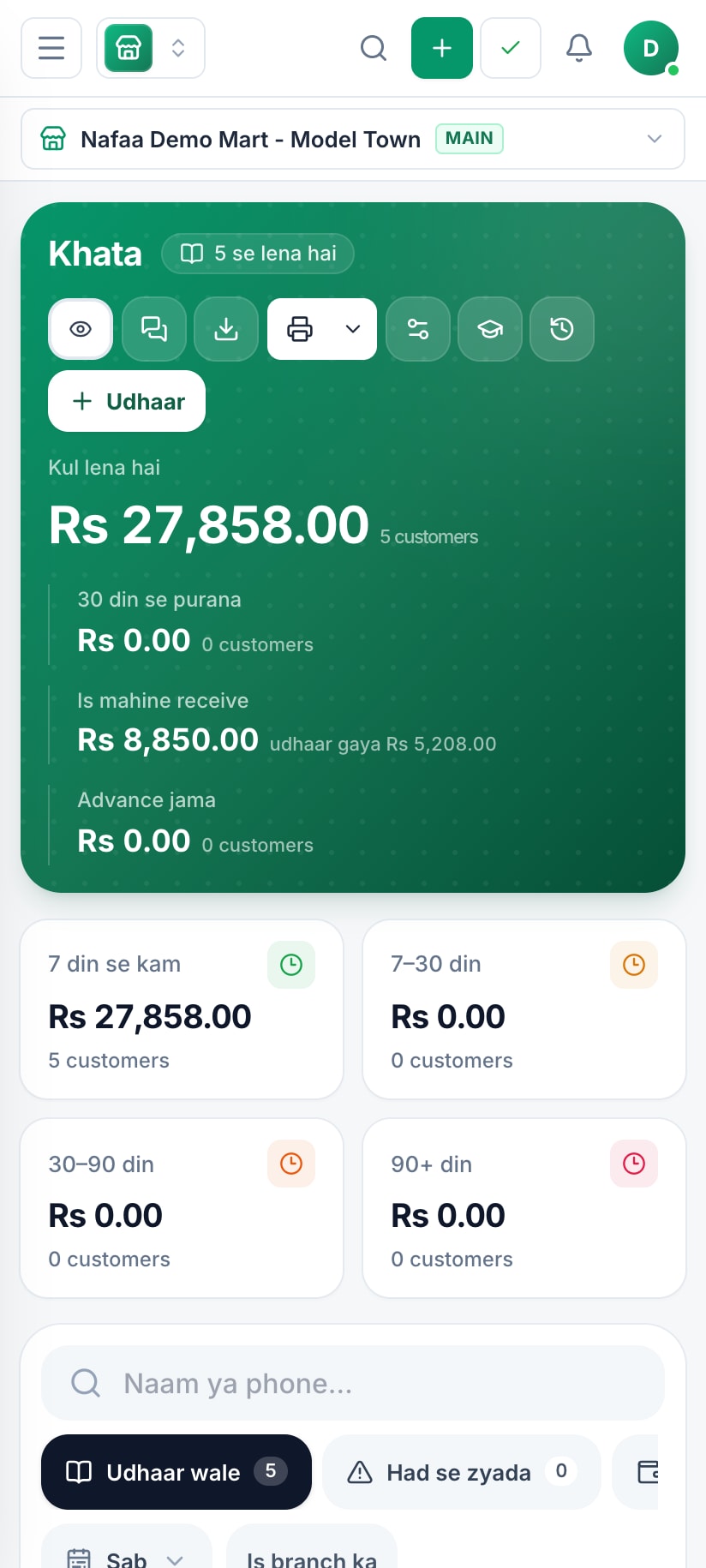
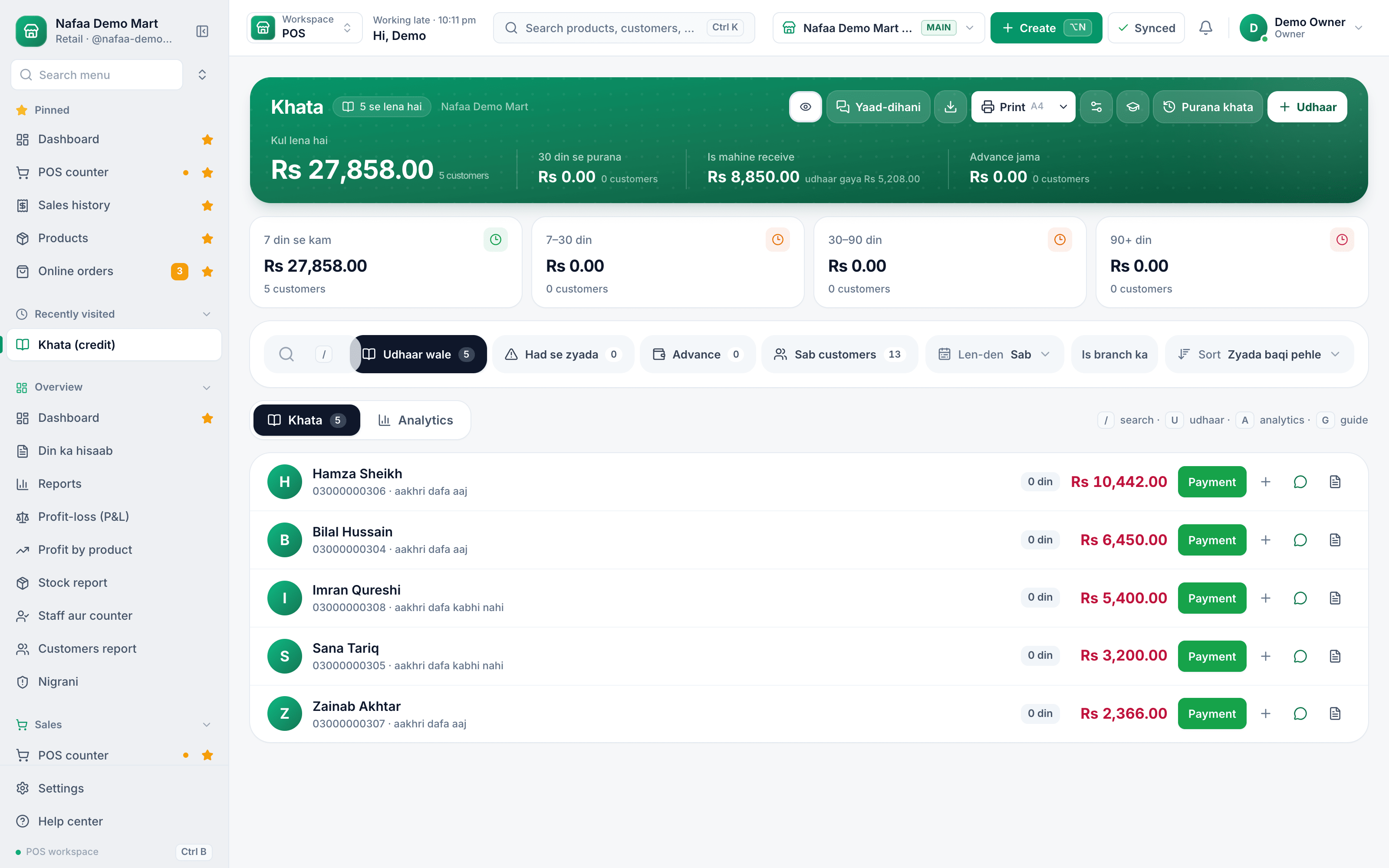
Customers who owe are sorted by amount and age.
- 2
Tap remind
Nafaa writes the message with the balance and last payment.
- 3
Send from WhatsApp
Your WhatsApp opens with the message ready to send.
- 4
Get paid
Record the payment and the balance clears.
Inside the app
The khata that writes the message
From the khata, every customer with a balance is one tap away from a reminder.
How udhaar comes back
Common questions
Can Nafaa send udhaar reminders on WhatsApp?
Yes. The khata keeps each customer's udhaar, payments and balances brought over from the old register. From the khata you send a customer a WhatsApp reminder with their balance in one tap. Reminders go one by one from your own WhatsApp, and the wording gets firmer as the udhaar gets older.
How much does Nafaa cost?
Paid plans start at Rs 1,500 a month. The pricing page lists every plan with its price and limits, taken straight from our plan settings, so it is always current. You can start with the free trial first, and no credit card is needed to sign up.
Industries using it
More from Nafaa
Digital Khata
Nafaa Digital Khata replaces the paper udhaar register: every credit sale lands in the customer's khata from the counter, payments and old balances are recorded, balances are grouped by age, credit limits stop runaway udhaar, and a WhatsApp reminder goes out in one tap.POS & Billing
Nafaa POS is the billing counter for any business: scan a barcode or tap a quick key, sell by piece, dozen or carton, take cash, card, JazzCash, Easypaisa or khata in one bill, print or WhatsApp the receipt, and keep billing when the internet drops. It runs on the phone, tablet or computer you already have.Inventory
Nafaa Inventory keeps stock right in every unit and every branch: products with cost, price and margin, barcodes and labels, combos, low-stock alerts, damage and adjustments with reasons, stock transfers between branches, and a full movement history. Import your list from Excel in minutes.FBR & PRA Invoicing
Nafaa is an FBR & PRA approved POS integrator. Every sale can be reported to FBR, PRA, SRB or KPRA from the counter, the fiscal invoice number and QR code print on the receipt, failed invoices retry by themselves, and tax reports are ready for your return.
Stop printing, start messaging
- 7 din Free Trial
- Keeps billing offline
- Help on WhatsApp