Updated
ProductWorks offline
Load-shedding is not a reason to stop selling
When the internet goes, the counter does not. Bills, receipts and khata entries keep working on the device, and Nafaa sends them to your account the moment the connection comes back.
- Sales queue on the device
- Automatic sync
- 7 din Free Trial
- Keeps billing offline
- Help on WhatsApp
- English and Roman Urdu
- Phone, tablet or computer
Short answer
Nafaa keeps billing when the internet drops. Products, prices and customers are kept on the device, new sales and khata entries wait in an offline queue, and everything syncs to your account on its own when the connection returns, with a list of what is still waiting.
Roman Urdu mein
Internet chala jaye to bhi Nafaa me bill bante rehte hain. Sales device par mehfooz rehti hain aur internet aate hi khud account me chali jati hain.
Key facts
- Works offline
- Billing, receipts, returns and khata entries
- Stored on device
- Products, prices, customers and pending sales
- Sync
- Automatic when the connection returns; pending sales are listed
- Other branches
- See offline sales once they have synced
How it works
What happens when the internet drops
- 1
Nothing changes at the counter
The cashier keeps scanning and billing; a small badge shows you are offline.
- 2
Sales wait safely
Each bill is saved on the device in an offline queue, with its receipt printed as usual.
- 3
Connection returns
Queued sales are sent to your account in order, by themselves.
- 4
Everyone catches up
Reports, stock and other branches update once the sync finishes.
Billing never stops
Features
Offline, done properly
Local copy
Products, prices and customers are kept on the device for instant search.
Offline queue
Bills and khata entries wait safely until they can be sent.
Automatic sync
No button to press; sync starts as soon as the internet is back.
Pending list
See exactly which sales are still waiting to reach the cloud.
Receipts keep printing
The printer does not care whether the internet is up.
Backup reminders
Nafaa reminds you to export a backup of the data kept on the device.
Inside the app
The counter you saw online works the same offline
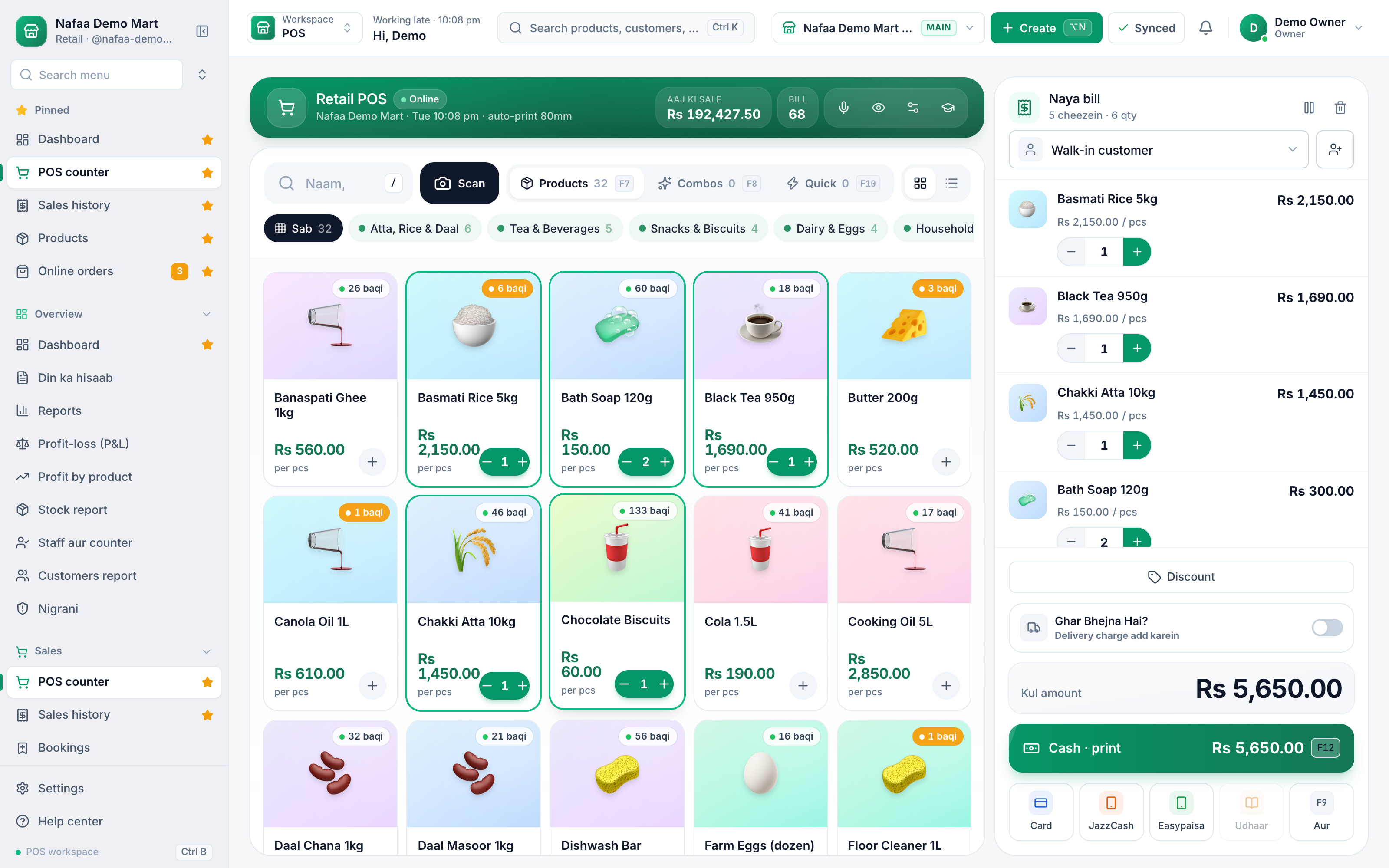
What happens when the internet drops
Common questions
Does Nafaa work without internet?
Yes, the counter keeps billing when the internet drops. Sales made offline are saved on the device and sent to your account automatically when the connection comes back, and you can see the sales still waiting to be sent. Reports and other branches see those sales once they have synced.
Do I need a computer to use Nafaa?
No. Nafaa runs in a web browser, so the phone, tablet or computer you already have will do. A barcode scanner and a receipt printer can be added later but are not required to start. The counter also keeps working without internet and sends the sales to your account when the connection returns.
What happens to fiscal invoices when the internet is down?
The counter keeps billing. Invoices that could not reach the tax authority are kept in a queue and sent again automatically when the connection returns, and failed ones are listed with the reason so you can fix them. You never have to stop selling because the tax server is slow.
More from Nafaa
POS & Billing
Nafaa POS is the billing counter for any business: scan a barcode or tap a quick key, sell by piece, dozen or carton, take cash, card, JazzCash, Easypaisa or khata in one bill, print or WhatsApp the receipt, and keep billing when the internet drops. It runs on the phone, tablet or computer you already have.Inventory
Nafaa Inventory keeps stock right in every unit and every branch: products with cost, price and margin, barcodes and labels, combos, low-stock alerts, damage and adjustments with reasons, stock transfers between branches, and a full movement history. Import your list from Excel in minutes.Digital Khata
Nafaa Digital Khata replaces the paper udhaar register: every credit sale lands in the customer's khata from the counter, payments and old balances are recorded, balances are grouped by age, credit limits stop runaway udhaar, and a WhatsApp reminder goes out in one tap.FBR & PRA Invoicing
Nafaa is an FBR & PRA approved POS integrator. Every sale can be reported to FBR, PRA, SRB or KPRA from the counter, the fiscal invoice number and QR code print on the receipt, failed invoices retry by themselves, and tax reports are ready for your return.Online Store
Nafaa brings online selling into the same account as the shop: orders from your own website, Shopify, WooCommerce, Daraz and Foodpanda arrive next to counter sales, take stock from the same shelf, and ship with TCS, Leopards, M&P, PostEx, Trax or CallCourier booked from the order.
Try it: turn off the Wi-Fi and keep selling
- 7 din Free Trial
- Keeps billing offline
- Help on WhatsApp