Updated
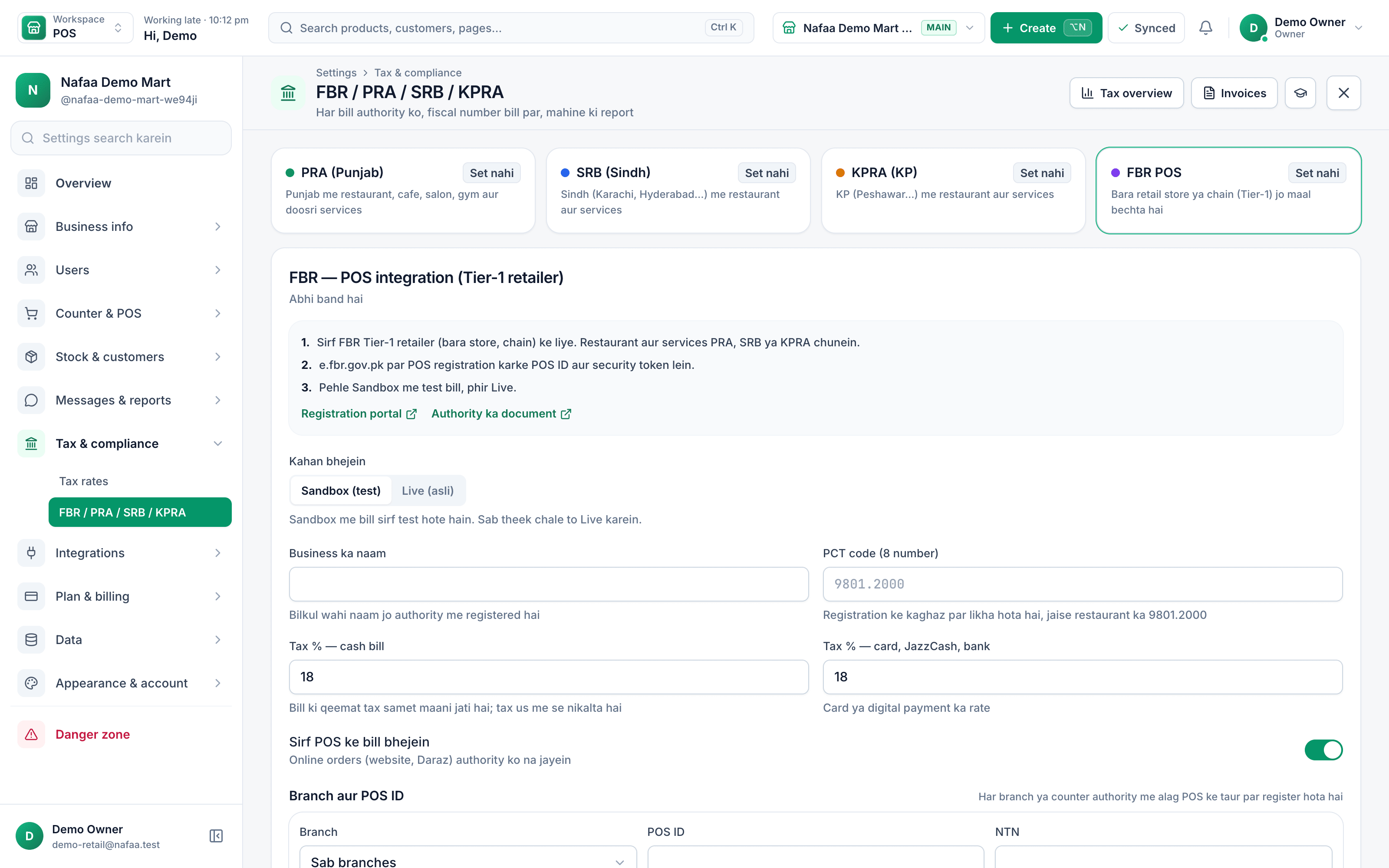
ServiceFBR integration setup
Fiscal invoices working from your first real bill
Nafaa is an FBR & PRA approved POS integrator. Our team connects your POS ID, tests invoices in the sandbox, checks the receipt, then switches you to live, branch by branch.
- FBR & PRA approved POS integrator
- SRB and KPRA too
- Area served
- Pakistan
- Pricing
- Quote per business or branch
- Timeline
- Agreed in the plan
Process
How we set it up
- 1
Check your details
NTN, POS ID and which authority applies to each branch.
- 2
Connect the sandbox
Credentials entered and tested against the authority's sandbox.
- 3
Test bills
Sales and returns reported, receipts checked for the fiscal number and QR.
- 4
Go live
Switch to live and watch the first real invoices go through.
How a tax invoice is made
Capabilities
What is included
Every authority
FBR, PRA, SRB or KPRA, for each branch.
Receipt check
Fiscal number and verification QR on the printed receipt.
Returns
Returns reported against the original invoice.
Retry checks
We show your team how the queue and retries work offline.
Tax reports
Where to find sales tax summaries for your return.
Team training
Cashiers and managers know what to do when something fails.
Quote lein
Tell us what you want to build. We reply with questions, a plan and a fixed price in PKR or USD, usually within one working day.
Prefer WhatsApp?
Chat on WhatsAppCommon questions
Which tax authorities does Nafaa report invoices to?
Nafaa is an FBR & PRA approved POS integrator. It reports sales invoices to FBR for Tier-1 retailers and to the provincial authorities for services: PRA in Punjab, SRB in Sindh and KPRA in Khyber Pakhtunkhwa. Each bill gets its fiscal invoice number and QR code printed on the receipt.
What happens to fiscal invoices when the internet is down?
The counter keeps billing. Invoices that could not reach the tax authority are kept in a queue and sent again automatically when the connection returns, and failed ones are listed with the reason so you can fix them. You never have to stop selling because the tax server is slow.
How do you price a project?
After a short call we write down what will be built and send one fixed quote for that scope, in PKR or USD. You see the work in stages as it is built. If you want to change the scope later, we quote the change first and only start once you agree.
Other services
Custom Software Development
Nafaa's engineering team builds custom software for businesses in Pakistan and worldwide: ERP modules, internal tools, dashboards, customer and dealer portals, and integrations with Nafaa or any other system, delivered in visible stages for one fixed quote in PKR or USD.Website Design & Development
Nafaa designs and builds fast, modern websites for businesses in Pakistan and worldwide: company sites, landing pages and content sites with light and dark themes, search-friendly structure and an editor your team can use, for a fixed quote in PKR or USD.E-commerce Store Development
Nafaa builds online stores for businesses in Pakistan and worldwide: a store on Nafaa or Shopify or WooCommerce, products and stock connected to your Nafaa account, local payment and courier options, and a launch your team can run, for a fixed quote in PKR or USD.Mobile App Development
Nafaa builds Android and iOS apps for businesses in Pakistan and worldwide: customer apps, apps for field staff and riders, and companion apps for your systems, built with React Native and published to the stores, for a fixed quote in PKR or USD.Data Migration to Nafaa
Our team moves your business into Nafaa from Excel, a paper register or another POS: products with prices, cost, barcodes and stock, customers with their khata balances, and suppliers with what you owe them, all cleaned and checked with you before go-live.