NafaaBina internet billing
Offline billing software: internet jaye, counter na ruke
Load-shedding, kamzor signal ya router band: Nafaa me bill bante rehte hain, parchi chhapti hai aur udhaar likha jata hai. Internet wapas aate hi sab khud account me chala jata hai.
Seedha jawab
What offline billing really means for a Pakistani shop, in simple Roman Urdu: the difference between desktop-only, online-only and offline-first software, what must keep working when the internet or power goes, a simple power-backup setup for the counter, and how Nafaa keeps bills, receipts and khata entries on the device and syncs them later.
Roman Urdu mein
Offline billing ka matlab hai ke internet jane par bhi bill, parchi aur udhaar chalte rahein. Nafaa ye sab device par rakhta hai aur baad me khud sync karta hai.
Key facts
- Offline chalta hai
- Bill, parchi, udhaar aur wapsi ki payment, naye customer, Expense
- Device par
- Products, qeematein, customers aur settings ki copy
- Sync
- Internet aate hi khud; jo nahi gaya woh kabhi delete nahi hota
- Internet chahiye
- Manager PIN wale kaam, jaise refund, internet ka intezar karte hain
- Chalta hai
- Phone, tablet, computer browser aur Windows desktop app
Teen qism ke billing software
Pakistan me internet din me kai dafa jata hai: load-shedding, market me kamzor signal, ya router ka restart. Is liye billing software chunte waqt sab se pehla sawal ye hona chahiye ke internet jane par kya hota hai. Software teen qism ke hote hain:
- Sirf desktop (computer par install). Internet ke baghair chalta hai, lekin data usi ek computer me hai. Computer kharab ho to hisaab gaya, aur ghar se dekhna ya doosri branch se jorna mushkil.
- Sirf online (cloud). Har jagah se dikhta hai, lekin internet gaya to counter band. Rush ke waqt ye sab se mehnga padta hai.
- Offline-first. Counter device se chalta hai aur jab internet ho, account se baat karta hai. Dono ka faida: counter nahi rukta, aur data account me mehfooz.
Nafaa teesri qism ka hai.
How it works
Internet jane par Nafaa me kya hota hai
- 1
Counter par kuch nahi badalta
Cashier scan aur bill karta rehta hai; upar ek chhota nishan batata hai ke aap offline hain.
- 2
Bill mehfooz
Har bill apne number ke saath device par save hota hai, aur parchi aam tarah chhapti hai.
- 3
Internet wapas
Ruke hue bill aur tabdeeliyan tarteeb se khud account me jati hain. Koi button nahi dabana.
- 4
Sab barabar
Sync ke baad reports, Stock aur doosri branches update ho jati hain.
Wahi counter, online ho ya offline
Search, scan, quick keys, units, Discount, split payment aur parchi, sab device ki copy se chalte hain. Upar dikhta hai ke aap online hain ya nahi, aur kitne bill sync ke intezar me hain.
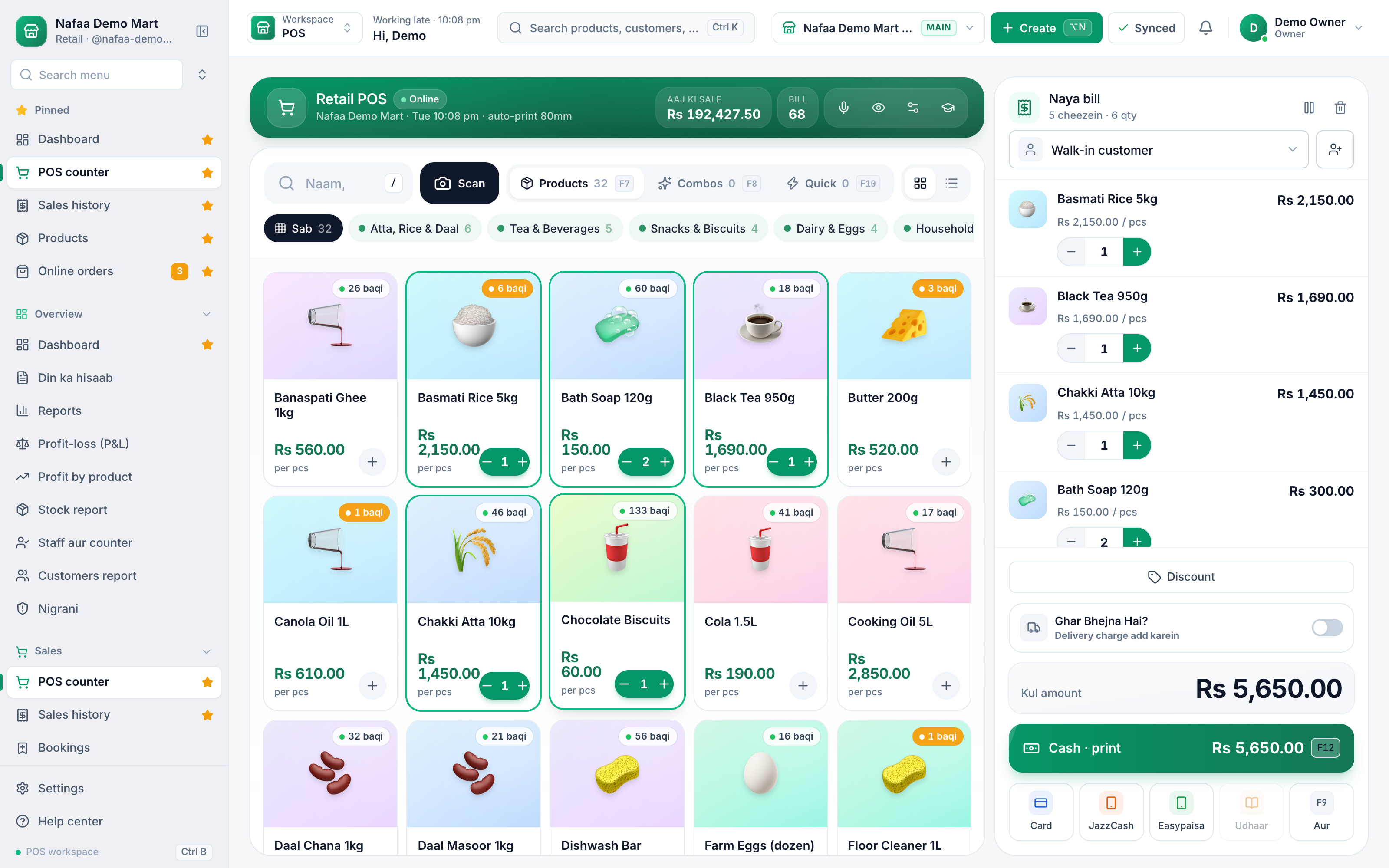
- Online ya offline ka nishan
- Sync ka haal
- Device se search aur scan
- Bill aur parchi chalte rahein
Bina internet kya chalta hai
| Feature | Bina internet | Note |
|---|---|---|
| Bill aur parchi | Haan | Device par save, baad me sync |
| Udhaar aur wapsi ki payment | Haan | Customer ka balance device par foran update |
| Naye customer aur product tabdeeli | Haan | Internet aate hi tarteeb se jati hain |
| Expense | Haan | Din ke hisaab me aam tarah |
| Refund aur PIN wale kaam | Intezar | Manager PIN server check karta hai |
| Doosri branch ko bikri dikhna | Sync ke baad | Bill account me pohnchte hi |
Bijli ke liye counter ka chhota sa intezam
Offline software internet ka masla hal karta hai, bijli ka nahi. Counter ko chalta rakhne ke liye ye kaafi hai:
- Laptop ya phone jis ki battery ho. Desktop computer ho to chhota UPS.
- Thermal printer ko UPS par lagayein, ya zaroorat ho to bill WhatsApp par bhej dein.
- Router bhi UPS par ho, taake bijli jane par internet bhi kuch der chale. Na chale to Nafaa offline chalta rahega.
- Mobile hotspot backup ke taur par, jab router band ho.
Load-shedding me billing ka tafseeli tareeqa English me load-shedding proof billing par hai.
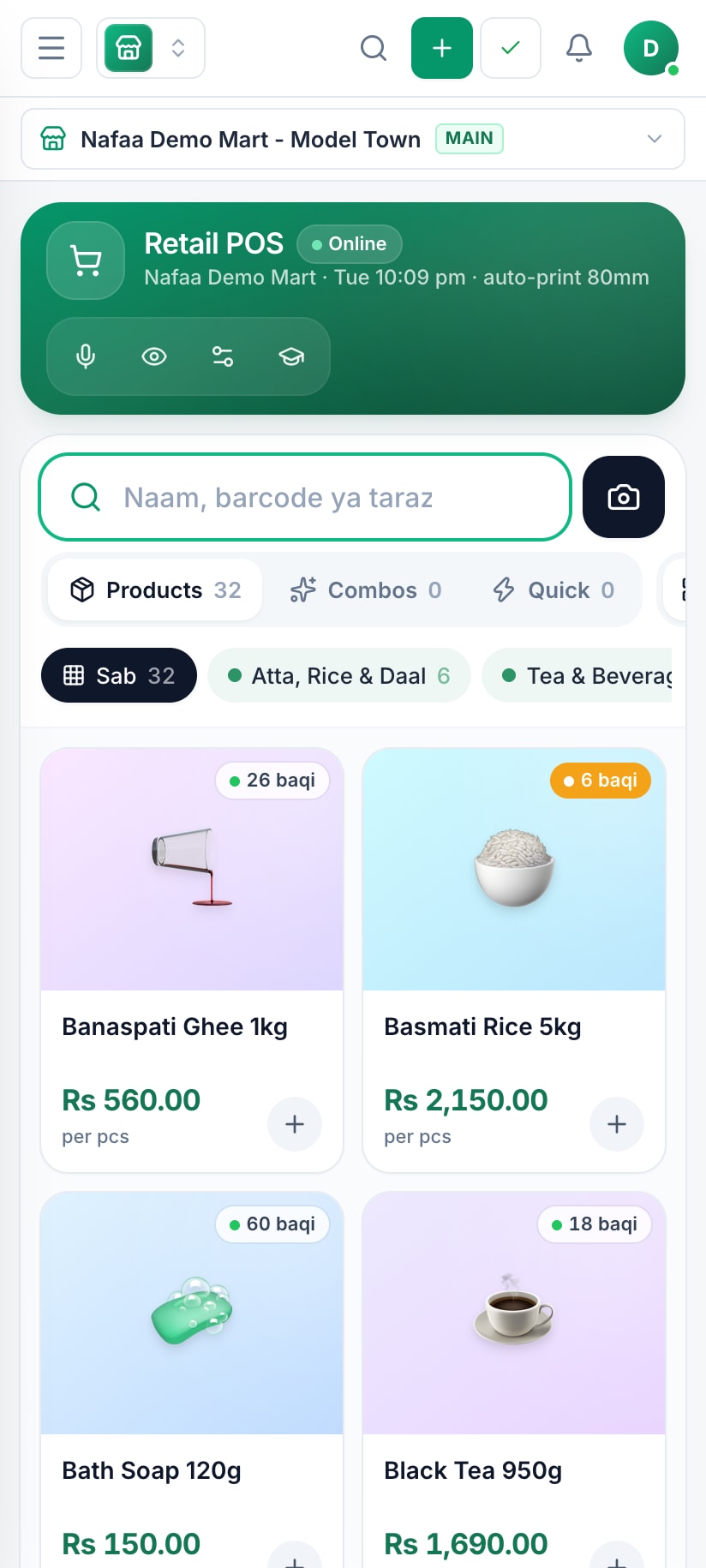
Phone par bhi offline
Nafaa phone par bhi wahi kaam karta hai. Ek dafa login ho chuka device bina internet counter khol leta hai, aur din bhar ke bill phone par mehfooz rehte hain.
Offline software chunte waqt ye poochein
- Kya internet ke baghair naya bill aur parchi dono bante hain?
- Kya udhaar ki entry offline hoti hai, ya sirf cash bill?
- Do counter ek waqt offline hon to bill number takrate to nahi? Nafaa me har device ka apna code hota hai.
- Offline bikri ke waqt Stock khatam ho chuka ho to kya hota hai? Nafaa aisa bill Sync Center me rok kar dikhata hai, phenkta nahi.
- Kya device ka backup liya ja sakta hai? Nafaa har hafte yaad dilata hai.
Poori tafseel English me offline POS par hai. Purane desktop software se aane ka tareeqa desktop POS alternative par, aur bill ki tafseel bill banane wali app par.
Log ye bhi poochte hain
Kya Nafaa bina internet ke chalta hai?
Haan. Internet jane par bhi bill bante hain, parchi chhapti hai, udhaar aur payment likhi jati hai, aur Expense bhi. Ye sab device par mehfooz rehta hai aur internet aate hi khud account me chala jata hai. Sirf refund jaise PIN wale kaam internet ka intezar karte hain.
Offline bill internet aane ke baad kahan jate hain?
Device par line me khare bill tarteeb se aap ke Nafaa account me chale jate hain, khud, bina koi button dabaye. Sync Center me dikhta hai ke kaun se bill pohnch gaye aur kaun se baqi hain. Jo bill nahi gaya woh kabhi delete nahi hota.
Kya pehli dafa login ke liye internet chahiye?
Haan, pehli dafa device par login internet se hota hai, taake products aur customers ki copy device par aa jaye. Us ke baad woh device bina internet bhi counter khol leta hai. Isi liye naya phone ya computer internet hone par hi tayyar karein.
Load-shedding me computer band ho jaye to bill ka kya?
Jo bill ban chuke woh device par save hain, bijli wapas aane par wahin milenge aur internet se sync ho jayenge. Behtar hai counter laptop ya phone par ho jis ki battery ho, ya computer ke saath chhota UPS lagayein, taake bill banta rahe.
Desktop software aur offline Nafaa me kya farq hai?
Desktop software ka data ek computer me hota hai; woh kharab hua to data gaya, aur ghar se dekh nahi sakte. Nafaa offline bhi chalta hai lekin data aap ke account me bhi jata hai, is liye phone se bhi dikhta hai aur kai branches jur sakti hain.
Related
Offline POS
Nafaa keeps billing when the internet drops. Products, prices and customers are kept on the device, new sales, khata payments, customers and expenses wait in an offline queue, and everything syncs to your account on its own when the connection returns, with a Sync Center that shows what is still waiting.POS & Billing
Nafaa POS is the billing counter for any business: scan a barcode or tap a quick key, sell by piece, dozen or carton, take cash, card, JazzCash, Easypaisa or khata in one bill, print or WhatsApp the receipt, and keep billing when the internet drops. It runs on the phone, tablet or computer you already have.Load-Shedding-Proof Billing: Keep the Counter Running
To keep billing through power and internet cuts, put the counter device, printer and router on backup power, keep a second internet connection, use a POS that bills offline and syncs later, and keep a paper fallback for the rare total failure. This guide shows how to set up each layer and what to check after the power returns.Bill Banane Wali App
How to make a proper shop bill, in simple Roman Urdu: what every bill should show, thermal receipt or A4 invoice, which printer to buy, and sending the bill on WhatsApp instead of paper. Includes the free receipt maker and invoice template, and how Nafaa makes the bill while it updates stock and udhaar.Free POS Software Pakistan: Sach Kya Hai
An honest Roman Urdu answer to "free POS software Pakistan": the kinds of free offers (free trial, free plan with limits, cracked desktop copies), the hidden costs of each, what you can genuinely do for free with a register, Excel and our free tools and templates, and when a paid POS such as Nafaa starts paying for itself.Hisaab Kitaab: Dukaan ke Sawal, Aasaan Jawab
Practical answers in simple Roman Urdu to the questions Pakistani shop owners search for: keeping accounts, writing udhaar, making bills, counting stock and working out profit, plus what to look for in software for kiryana stores, medical stores, mobile shops, clothing shops, restaurants and bakeries.
Aazma kar dekhein: Wi-Fi band karein aur bill banayein
7 din Free Trial me apne counter par offline billing khud check karein.
- 7 din Free Trial
- Keeps billing offline
- Help on WhatsApp