Running More Than One Shop in Pakistan
When a second shop makes sense, what to control centrally and what to leave to the branch, how to pick a manager, move stock between shops, keep cash honest and read one report for all of them.
- Published
- Reading time
- 5 min read

The first shop is run by the owner's eyes. You see who comes in, what sells, which shelf is empty and how much is in the galla. The second shop breaks that. You cannot be in two places, so the second shop runs on systems and on the people you trust. Many owners find that the second shop earns less than they hoped, not because the location is wrong but because what worked by instinct in the first shop does not travel.
This guide covers the decisions that make the difference.
When to open the second shop
Open a second shop when the first one can run for a full week without you. If it cannot, the second shop will pull you away and both will suffer. Some signs you are ready:
- The first shop has a manager or senior staff member who opens, closes and handles suppliers.
- You know your numbers: daily sale, profit margin, stock value, udhaar outstanding.
- Your stock and billing are recorded in a system, not only in your head.
- You have working capital for the new shop's stock without starving the first one.
Decide what is central and what is local
| Decision | Usually central (owner) | Usually local (branch) |
|---|---|---|
| Product list and prices | Yes | Small local items, with approval |
| Suppliers and big purchases | Yes | Daily fresh items |
| Discounts | Set the limit | Give within the limit |
| Staff hiring | Final say | Recommend |
| Cash | Daily report | Count and deposit |
| Udhaar | Set the policy and limits | Collect |
The more you keep central, the more consistent the shops are. The more you leave local, the faster each branch can react. Most owners start central and loosen as they gain trust in each manager.
Choosing a branch manager
The best branch manager is often not the best salesman. Look for someone who is reliable about routines: opens on time, counts cash properly, records every purchase, and tells you about problems early. Give the manager clear authority (what they can approve without calling you) and clear limits (discounts, refunds, credit). Then check the numbers, not the person.
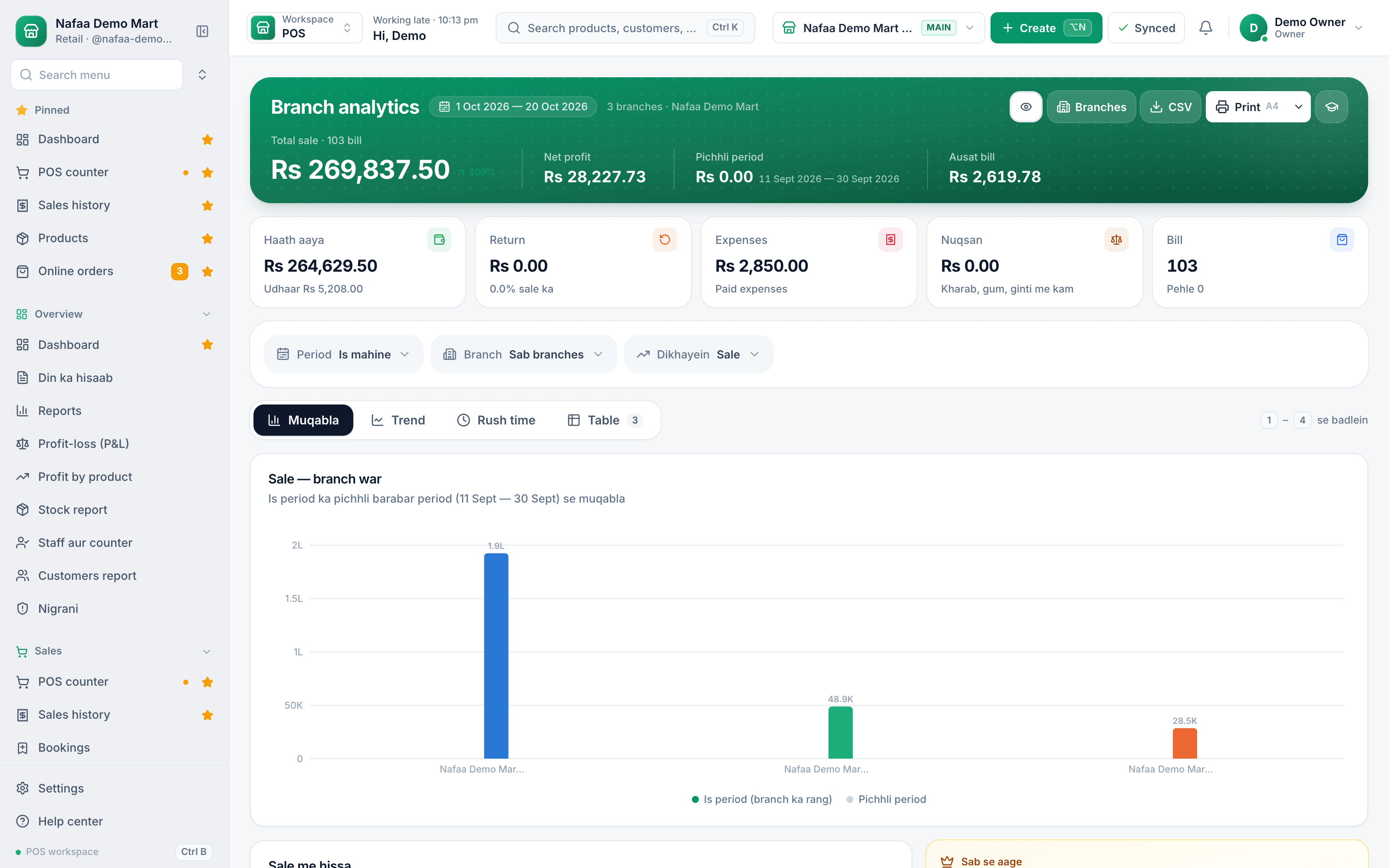
Every branch on one screen
Sale and stock for each branch side by side, so you can see which shop needs attention today without driving to it.
Moving stock between shops
Stock transfers are where multi-shop owners lose the most without noticing. A carton leaves shop A for shop B, nobody records it, and a month later shop A's count is short and shop B has extra stock it never paid for.
Treat every transfer like a small purchase:
- The sending shop creates a transfer with items and quantities.
- The goods travel with a printed transfer slip.
- The receiving shop counts what actually arrived and records it, including anything short or damaged.
- Stock goes down in one shop and up in the other only for what was received.
Stock and sales across shops
A daily routine for each branch
The same routine in every branch makes the numbers comparable.
Step 1: Open the shift
The cashier opens the register with the starting cash.
Step 2: Bill every sale
No hand-written bills. Every sale goes through the counter so stock and cash match.
Step 3: Receive deliveries properly
Supplier deliveries and transfers are counted and recorded when they arrive.
Step 4: Close the shift
Count the drawer, record the difference with a reason, and deposit the cash.
Step 5: Owner checks the summary
Each evening, compare branches: sale, profit, cash difference, discounts and refunds.
Keeping cash honest across shops
When you are not there, the cash count is your main control. Ask for a shift close every day with expected cash, counted cash and the difference. A small difference now and then is normal. A pattern is not. Watch discounts and refunds by staff member too; that is where most leaks hide. Our post on preventing theft at the counter goes into more detail.
One report for all shops
The point of a system is that you do not have to call each shop for its numbers. You want to see, for each shop and for all together: today's sale, profit, stock value, low stock, udhaar outstanding and cash differences. Compare branches on margin, not just sale. A shop with high sale and low margin may be discounting too much.
Mistakes second-shop owners make
- Different prices in each shop by accident. Customers notice, and so do staff who move between branches.
- Borrowing stock without a transfer. "Just send two cartons" with no record is how counts go wrong.
- One shared galla for two shops. Keep each shop's cash separate, or you cannot tell which one is profitable.
- Visiting only the struggling shop. The shop that is doing well also needs your time, or it slips next.
How Nafaa handles more than one shop
In Nafaa each branch has its own stock, counters and cash register, under one account. The owner can switch to any branch or to "All Shops" for a combined view, while staff see only the branch they are assigned to. Stock transfers record what was sent, what is on the way and what actually arrived, with short deliveries shown, and staff tied to a branch see only the transfers that touch it. Staff roles set what each person may do, including discount limits and PIN rules for refunds and voids, and branch analytics compare sale across shops.

